Sign Up
Gemini, GPT or Grok vs. Drawstory: 5 Reasons Drawstory Is Better for Storyboards and Comics
Author:
Narek Ghazaryan
Date:
September 9, 2026
Gemini, GPT, and Grok can all generate images from text prompts, edit existing images, and work with visual references. Gemini's current image-generation documentation even includes dedicated examples for sequential art, including comic panels and storyboards. Grok also supports image generation, image editing, and multiple reference images.
So why would a filmmaker or comic creator use a dedicated tool such as Drawstory instead of generating images directly with Gemini, GPT, or Grok?
The answer is not simply that Drawstory generates better images. General-purpose AI models are already capable of producing strong visual results. The difference is how those images are organized and used in a larger visual storytelling workflow.
A single AI-generated image and a 100-shot storyboard are different problems. The second requires scene organization, shot management, recurring characters, visual references, revisions, and a way to work with all of those elements as one project.
This guide compares Gemini, GPT, and Grok with Drawstory and looks at five areas where dedicated AI storyboard software can be more suitable for storyboarding and comic creation.
How Gemini, GPT, Grok and Drawstory Compare
The comparison below focuses specifically on storyboard and comic workflows rather than general AI capabilities.
Gemini, GPT, and Grok are general-purpose AI systems that can be used for visual creation. Drawstory is focused on organizing the visual storytelling process itself.
Why Filmmakers and Comic Creators Look Beyond General AI Image Generators
General-purpose AI image generators work well when the task is relatively simple: describe an image, generate it, and iterate. Storyboards and comics introduce additional requirements. A filmmaker might start with a screenplay containing 20 scenes and turn it into 100 shots. A comic creator might need to produce 50 panels featuring the same characters in different locations and situations.
In both cases, the challenge is no longer just image generation. It becomes a question of how to manage a large collection of related images.
Five areas are particularly relevant when comparing general AI tools with dedicated storyboard and comic software.
1. Shot-Based Workflow
A storyboard is organized around shots rather than individual images.
For example, a single scene might contain:
- Wide shot of the location
- Medium shot of the main character
- Close-up reaction
- Over-the-shoulder shot
- Two-shot between two characters
Each frame has a role within the sequence.
When using a general-purpose AI image generator, the typical workflow starts with an image prompt. The creator can describe the desired camera angle or shot size, but the application itself is still centered around generating an image.
Drawstory organizes the storyboard around scenes and shots, so the generated frame is associated with a specific part of the sequence. This distinction becomes more noticeable as the project grows. Generating five images is easy to manage manually. Managing 100 individual generations becomes more complicated when each image represents a particular shot in a larger sequence.
For filmmakers working from a screenplay, a shot-based workflow also provides a more natural way to move from the written script to visual pre-production.
2. Scene and Project Organization
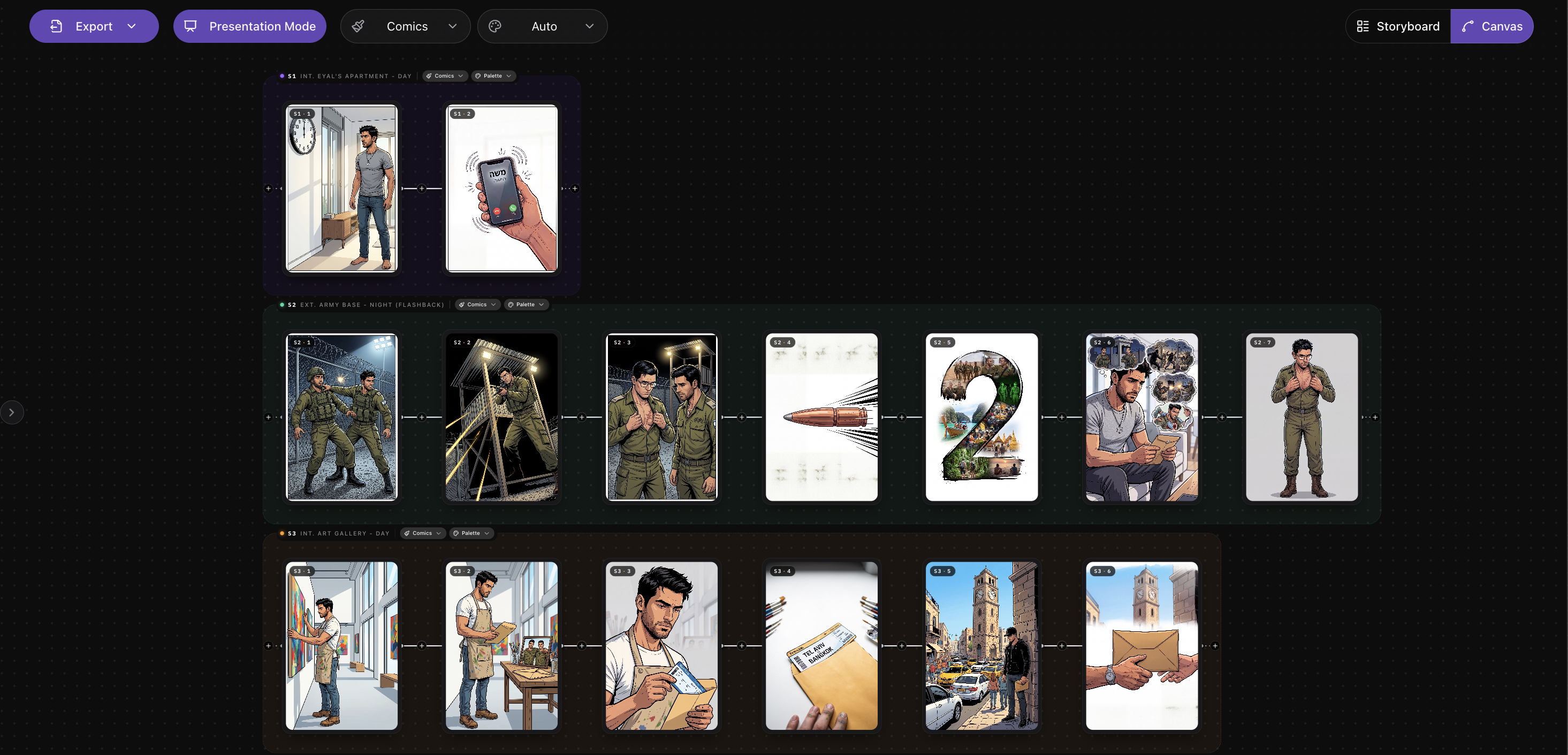
A film storyboard can contain hundreds of frames.
Those frames are usually connected to specific scenes, characters, locations, and moments in the script.
For example:
Scene 8 - Apartment
- Shot 1 - Exterior establishing shot
- Shot 2 - Character enters
- Shot 3 - Close-up
- Shot 4 - Character notices the letter
- Shot 5 - Insert shot of the letter
The relationship between these frames matters.
With a general-purpose AI tool, creators can generate each image and keep track of the relationship themselves. Conversations, generated images, reference files, and prompts can become the project structure. Drawstory approaches the problem from the other direction: the project structure is part of the application.
Scenes and shots can be managed as components of the storyboard rather than as separate AI generations. This is particularly relevant for longer productions, where finding and revising a specific frame can become as important as generating it.
3. Character and Visual Consistency
Character consistency is another important consideration for AI storyboards and comics.
A character appearing in one image is relatively easy to generate. The problem becomes more difficult when the same character appears across dozens of frames.
Their:
- Face
- Hair
- Clothing
- Body proportions
- Age
- Accessories
- Overall appearance
need to remain recognizable.
Modern AI models have tools for handling references. Gemini's documentation, for example, specifically describes sequential-art generation using character consistency and scene descriptions. Grok's current image tools also support multiple reference images for image editing and composition.
Therefore, character consistency is not unique to Drawstory. The difference is how those references are incorporated into the workflow. With a general-purpose AI model, the creator can provide a character reference when generating an image and describe how it should be used.
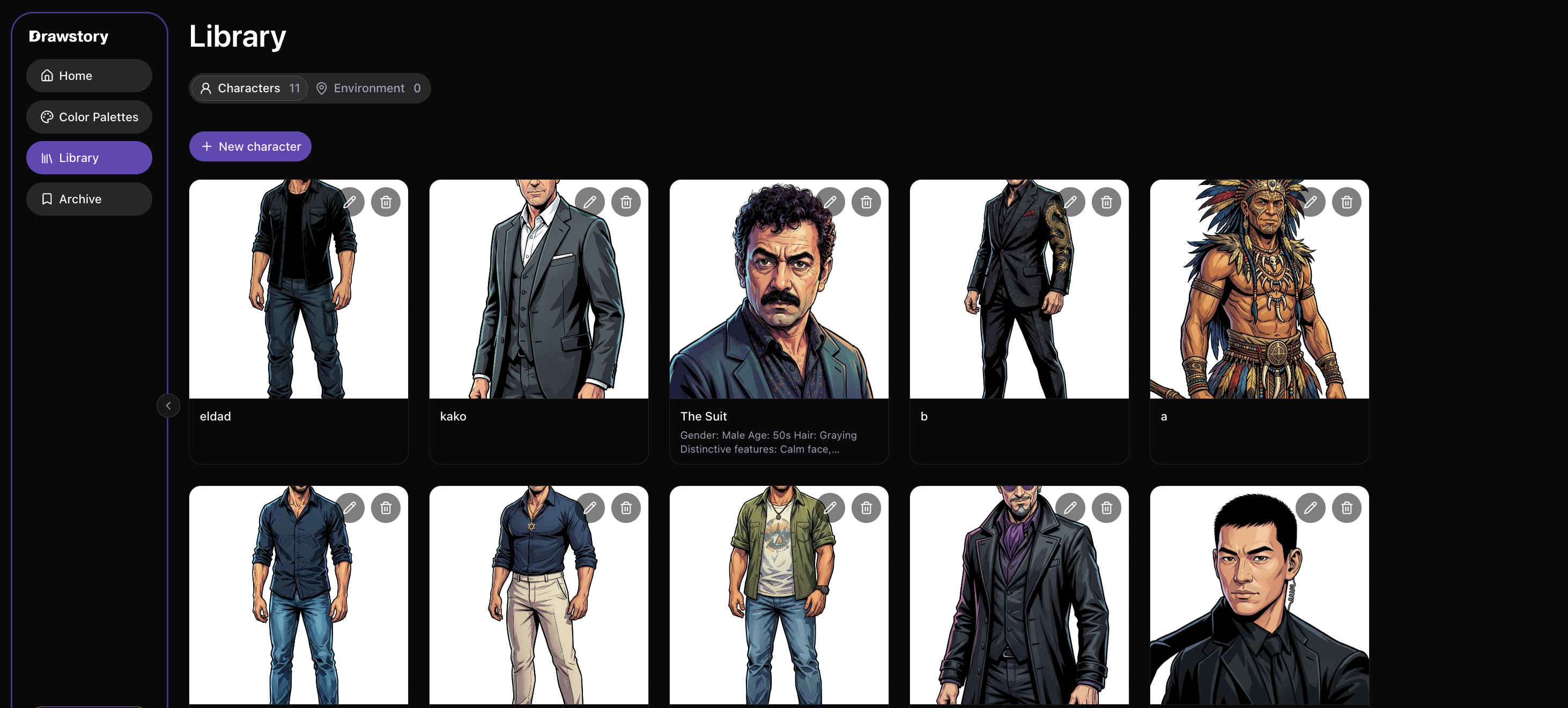
With Drawstory, characters can be treated as recurring project assets that are used across the storyboard. That distinction becomes more useful when a project contains many panels or shots.
For a comic or graphic novel, for example, a character might appear hundreds of times. Managing that character as part of the project is different from supplying a reference image every time a new panel is generated.
4. Editing the Storyboard Structure
Image editing and storyboard editing are not the same thing. Image editing changes the contents of a frame. Storyboard editing changes the sequence of frames. Consider a director reviewing a storyboard and deciding that a scene needs an additional reaction shot.
The change isn't simply: Edit this image.
It is: add a new shot between shots 4 and 5. Similarly, a director may decide to remove a shot, change its position, or replace a close-up with a wide shot.
General AI image generators can help create the new image. The creator still needs to manage where that image belongs in the overall sequence. A dedicated storyboard application treats the sequence itself as editable. This is particularly useful during pre-production because storyboards often change as the director, producer, cinematographer, or client reviews the planned sequence.
5. Creating a Usable Storyboard or Comic
The final output is another important difference. An AI image generator produces images. A storyboard is a sequence of images arranged to communicate a story.
A comic is a sequence of panels arranged to communicate a story. The individual images are only part of the final result. A filmmaker may need to review an entire scene and see how the shots work together. A comic creator needs to consider the relationship between panels, characters, and visual continuity.
This means that a tool for creating storyboards or comics needs to handle more than image generation. It needs to provide ways to organize and revise the images as part of a larger sequence. That is the primary reason a dedicated application can be useful even when general AI models can generate the individual frames.
Gemini vs. GPT vs. Grok vs. Drawstory: Which Tool Should You Use?
There isn't a single tool that is best for every visual creation task.
Gemini
Gemini is suitable for general AI image generation and editing. Google's documentation now explicitly covers sequential art, including comic panels and storyboards, so it can be used for these tasks as well. Gemini makes sense when the primary requirement is generating visual content and the creator is comfortable managing the surrounding workflow.
GPT
GPT is useful when image generation is part of a broader AI workflow involving writing, brainstorming, analysis, and iteration. For example, a creator can use GPT to develop a story, describe characters, generate visual ideas, and create or edit images. It is a flexible general-purpose approach, but the creator may still need a separate structure for managing a larger storyboard or comic project.
Grok
Grok also provides image generation and editing capabilities. Its current Imagine tools support image references and multi-image editing, which can be useful for visual experimentation and character or scene development. Like Gemini and GPT, Grok is primarily a general-purpose AI environment rather than a dedicated storyboard management application.
Drawstory
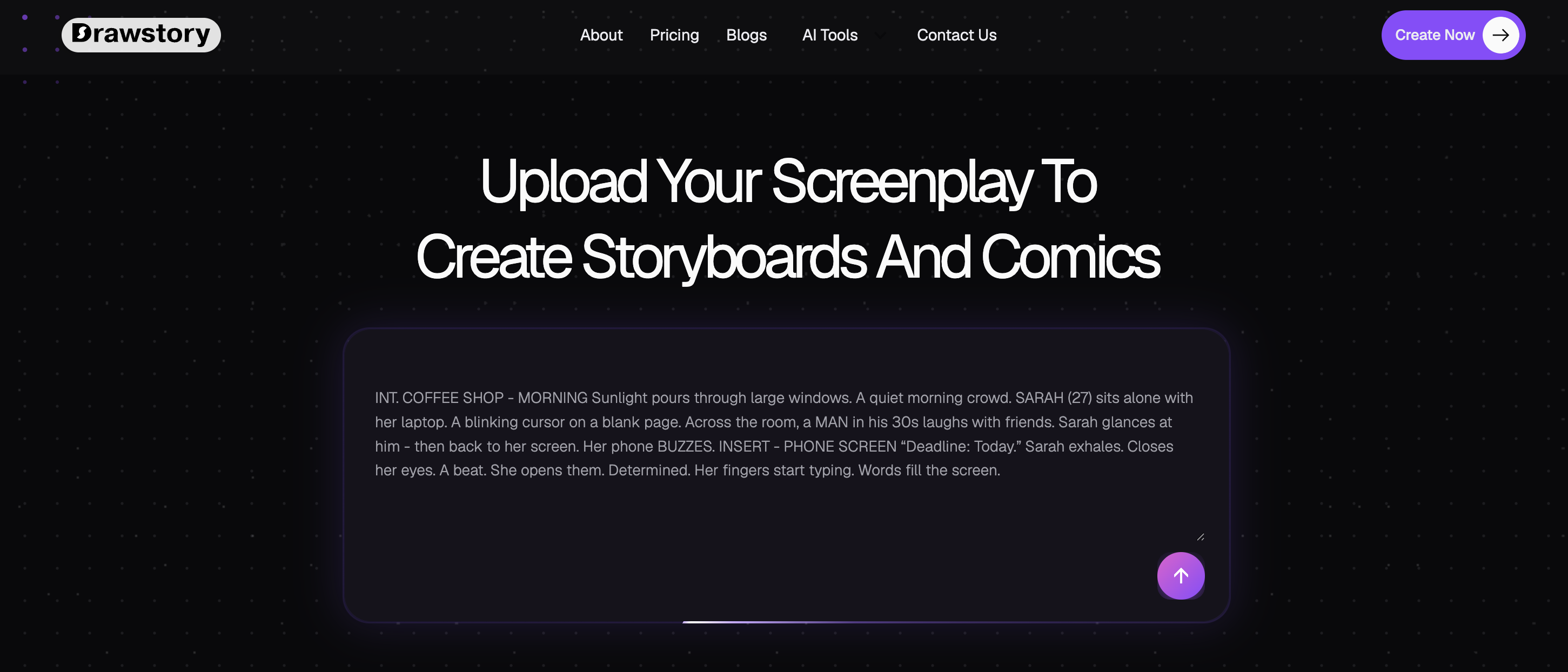
Drawstory is designed specifically around AI storyboarding, AI comic and visual storytelling.
It is more suitable when the project requires:
- Scenes and shots
- Recurring characters
- Locations and references
- Consistent visual styles
- Multiple storyboard frames
- Comic panels
- Revisions across a sequence
- A dedicated visual storytelling workspace
The distinction is therefore less about whether each tool can generate an individual image and more about how the creator manages the images afterward.
General-Purpose AI vs. AI Storyboard Software
The difference can be summarized as follows:
When Should You Use Drawstory Instead of Gemini, GPT or Grok?
Drawstory is worth considering when the output you need is not simply an image but a structured visual sequence.
Typical use cases include:
- Film storyboards
- Commercial storyboards
- Music video storyboards
- Video production pre-production
- Comics
- Graphic novels
- Screenplay visualization
- Character-driven visual stories
For a small number of images, the difference may not be significant.
For a project with dozens or hundreds of connected frames, managing the relationship between those images becomes a larger part of the work.
Conclusion
Gemini, GPT, and Grok have made AI image generation increasingly capable. They can generate characters, environments, scenes, comic panels, and storyboard frames, and they can also work with reference images and edits. Gemini's documentation, for example, explicitly includes sequential-art generation for comic panels and storyboards.
That means Drawstory's value shouldn't be based on the claim that general-purpose AI models cannot create storyboards or comics.
They can.
The distinction is the workflow around the images. General-purpose AI tools are designed to handle a broad range of tasks, including image generation. Drawstory is designed specifically around the process of creating and managing visual stories. For an individual image, Gemini, GPT, or Grok may be the better choice.
For a project involving scenes, shots, recurring characters, visual references, and many connected frames, dedicated AI storyboard software can provide a more appropriate workflow.
Frequently Asked Questions
Got Questions?
Find clear answers to common questions about Drawstory, our services, process, and how we bring your ideas to life.
Can Gemini create storyboards?


Can GPT create storyboards and comics?
Is Drawstory better than Gemini, GPT, or Grok for storyboarding?
What is the difference between an AI image generator and an AI storyboard generator?
Can I use Gemini, GPT, or Grok instead of Drawstory?



