Present and Share Creative Brief

The best tool to visualize creative brief for Commercials and Ads. Create and share a presentation of your video idea

Create now
White right arrowWhite right arrow

Alternative to Pinterest reference images

Whether you’re crafting a small ad or a full-length commercial, you can visualize your brief.  Visual brief becomes a blueprint that agencies can follow, making the collaboration seamless and professional.

Try now
White right arrowWhite right arrow
Tablet screen showing a black and white Drawstory storyboard with three panels, each featuring bears in outdoor mountainous scenes.Tablet screen showing text editor titled 'POLAR BEAR' with scene descriptions about polar bears and coca-cola in icy settings.User interface of Drawstory story creation feature with options to enter a script or upload images, featuring a partially visible drawing of a bear and menu icons at the top.

Who Is Drawstory For

Use cases

Who Choose Drawstory

Drawstory is built to communicate a creative brief clearly and visually without pinterest image examples and back-and-forth explanations.

Pen icon

Brands and Marketing Teams

Brand managers and in-house marketing teams can use DrawStory to turn their creative brief into a visual reference before involving an external agency. Instead of sending a text-only brief, you can share a clear visual direction that explains scenes, tone, pacing, and key messages. This helps agencies deliver work that aligns with the brand from the start.

Creative Agencies

Creative agencies use DrawStory to quickly visualize creative brief examples for client presentations and internal alignment. It helps creative directors and strategists validate ideas early, present concepts visually, and reduce misinterpretation before production begins.

Video and Production studios

For video teams, DrawStory acts as a visual video brief template. It helps production teams understand expectations around storytelling, framing, and structure, making pre-production smoother and more efficient.

4-points star icon

Freelance commercial makers

Freelancers working with multiple clients can use DrawStory to standardize how they present ideas. Visualizing briefs helps clients understand concepts faster and speeds up approvals.

How Drawstory Supports Your Video Briefs

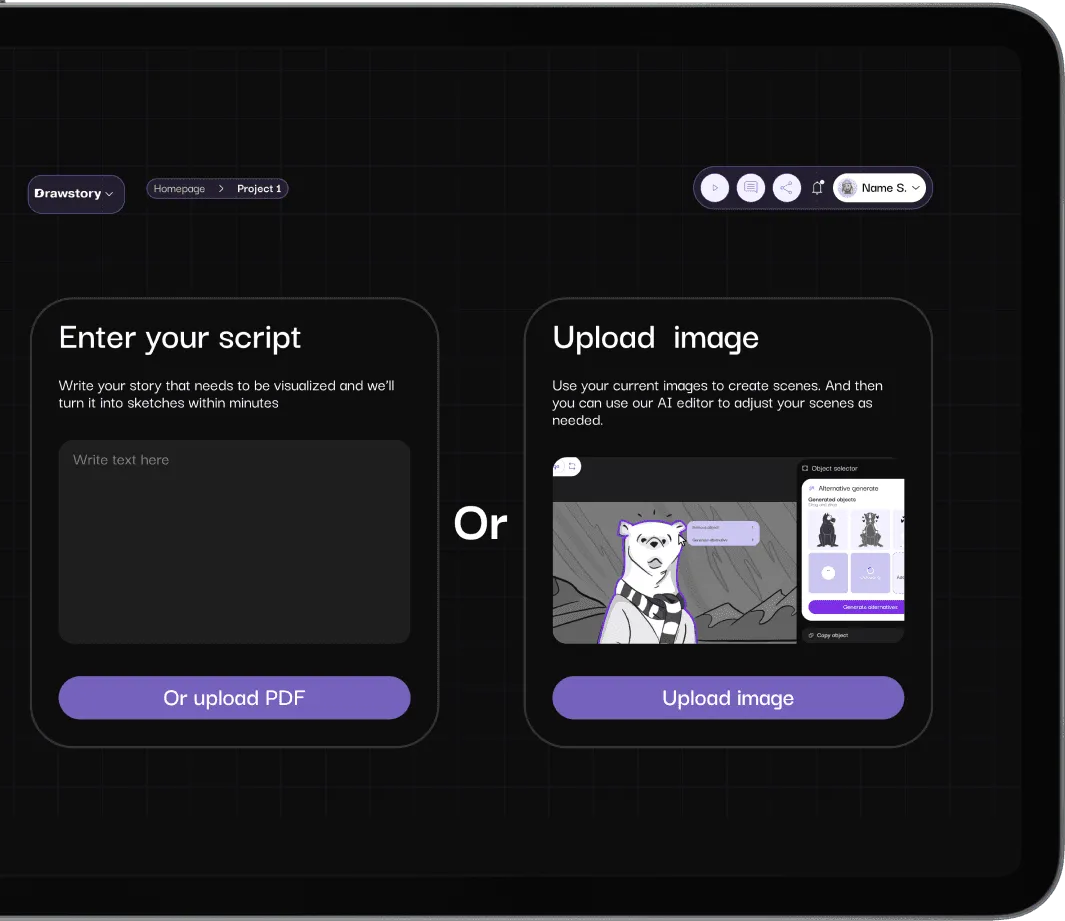
User interface for Drawstory app showing options to enter a script or upload an image for AI-generated sketches, with buttons for uploading PDF or image.User interface with options to enter a script or upload an image, featuring text boxes and buttons for PDF upload and image selection.

Create Brief into Visuals

Transforming text-based briefs into visual sequences

Try now
White right arrowWhite right arrow
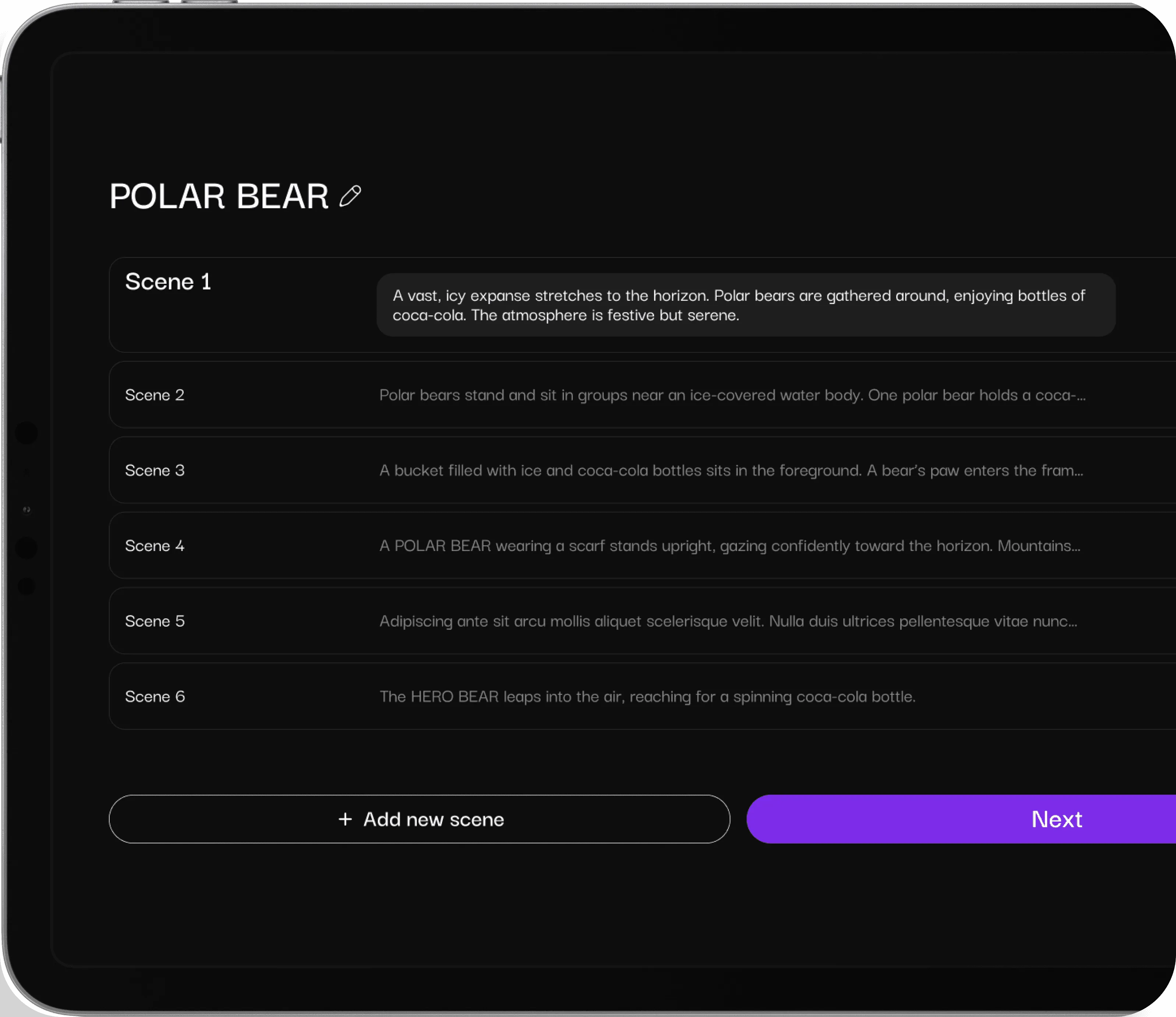
Tablet screen displaying a storyboard titled 'POLAR BEAR' with six scenes describing polar bears interacting with Coca-Cola in a snowy setting, and buttons to add a new scene or go to the next step.User interface screen titled 'POLAR BEAR' showing a list of six editable scenes with descriptions and plus icons, plus buttons labeled 'Add new scene' and 'Next'.

Upload references

Upload brand elements, product references

Try now
White right arrowWhite right arrow

Got Questions?

Find clear answers to common questions about Drawstory, our services, process, and how we bring your ideas to life.

What is a creative brief and why is it important?
plus sign icon

A creative brief is a document outlining the objectives, target audience, messaging, and tone for a marketing or video campaign. Visualizing it ensures agencies and internal teams interpret the vision correctly.

Can I use Drawstory for video brief templates?
plus sign icon

Yes. Drawstory allows you to convert any video brief template into a visual storyboard, making it easier to communicate ideas to creative teams or video agencies.

Are there examples of creative briefs in Drawstory?
plus sign icon

Absolutely. You can create creative brief examples for commercials, ads, and social media campaigns that help agencies understand your vision quickly.

How does visualizing a brief help with client presentations?
plus sign icon

isual briefs make presentations more engaging, reduce misunderstandings, and provide a professional reference for clients and agencies alike.

Can I upload reference of my product in Drawstory?
plus sign icon

Yes! You can upload product images or references to create a visual creative brief or video brief template. DrawStory uses your reference to generate storyboards and presentations that match your product, making it easy to share with creative or video agencies.

Visualize brief with AI

Our AI technology ensures that every character stays consistent throughout the entire storyboarding process, no matter the length or complexity.

Get Drawstory free
White right arrowWhite right arrow