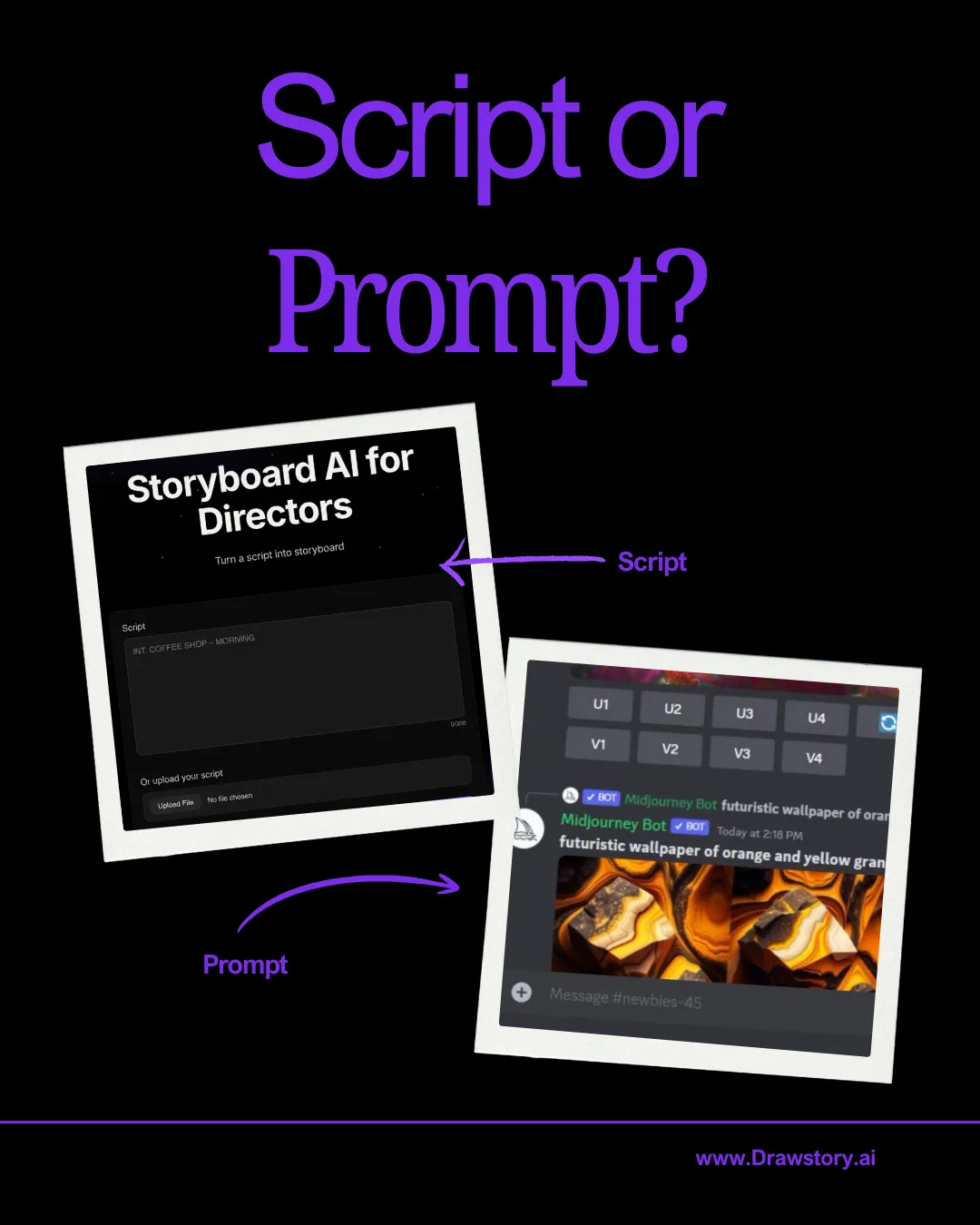
Drawstory vs Nano Banana

Filmmakers today have powerful AI tools at their fingertips, but choosing the right one for previsualisation and storyboarding is crucial. Two popular options, Nano Banana and DrawStory, take very different approaches to helping creatives bring their visions to life.

Try now
White right arrowWhite right arrow

Drawstory is professional AI storyboarding tool

Below is a breakdown of how Drawstory compares to Nano Banana

Feature Comparison: Nano Banana vs DrawStory

Nano Banana is the closest alternative, but filmmakers highlight major limitations:

Features

Prompting required
Script & shot list import  
Script timing
Character upload
Location upload
Presentation mode for clients

Nano Banana

Caution / Limit logo
Required
X-mark icon
None
X-mark icon
None
X-mark icon
None
X-mark icon
None
X-mark icon
None

Drawstory

tick icon
without prompts
tick icon
Script & shot list import
tick icon
Yes
tick icon
Yes
tick icon
Yes
tick icon
Yes

Gemini vs Drawstory

Gemini can generate images, but users say the same thing over and over: “It generates images based on the scene, but most of the time it’s way off from what I imagine.” And that’s because Gemini is built for general AI tasks, not filmmaking
AI tools for filmmakers
Script to Storyboard
Cinematic Accuracy
Character Consistency
Location Reference
Pitch Deck

Gemini

X-mark icon
No
X-mark icon
None
X-mark icon
Inaccurate
X-mark icon
None
X-mark icon
None
X-mark icon
None

Drawstory

tick icon
Yes
tick icon
Full
tick icon
High
tick icon
Strong
tick icon
Yes
tick icon
Yes

Midjourney vs Drawstory

Before choosing an AI tool for filmmaking, it’s important to understand what each product was built for. Most popular AI image generators were never designed for filmmakers - they were built for general images, social media content, or fun experimentation.
AI tools for filmmakers
Script to Storyboard
Cinematic Accuracy
Character Consistency
Location Reference
Pitch Deck

Midjourney

X-mark icon
No
X-mark icon
None
tick icon
Good
X-mark icon
None
X-mark icon
None
X-mark icon
None

Drawstory

tick icon
Yes
tick icon
Full
tick icon
High
tick icon
Strong
tick icon
Yes
tick icon
Yes

Leonardo  vs Drawstory

Leonardo is excellent for image editing and content creation — but that’s where it ends.
AI tools for filmmakers
Script to Storyboard
Cinematic Accuracy
Character Consistency
Location Reference
Pitch Deck

Leonardo

X-mark icon
Partially
X-mark icon
Basic
X-mark icon
Mixed
X-mark icon
Inconsistent
X-mark icon
None
X-mark icon
None

Drawstory

tick icon
Yes
tick icon
Full
tick icon
High
tick icon
Strong
tick icon
Yes
tick icon
Yes
From script to storyboard instantly:
No more drawing or describing each shot. Simply paste your script, and Drawstory.ai’s storyboard creator turns it into a sequence of cinematic images.

Two men in business attire reviewing data on a laptop at a table, alongside text about designing a UI kit to grow business.
Edit every shot with precision
Our film shot editor lets you change the camera angle or composition instantly - while keeping your character consistent across every frame.
No prompts, no confusion:
Built for filmmakers, not prompt engineers. You focus on storytelling - we handle the visuals.
Laptop screen displaying a UI kit with four cards titled UI/UX Design, Project Delivery, Front-end Development, and Back-end Development against a blue and white background.

Why Drawstory Is better for storyboarding

Professional tool

Maintain visual consistency across characters and scenes, ensuring storyboards look professional
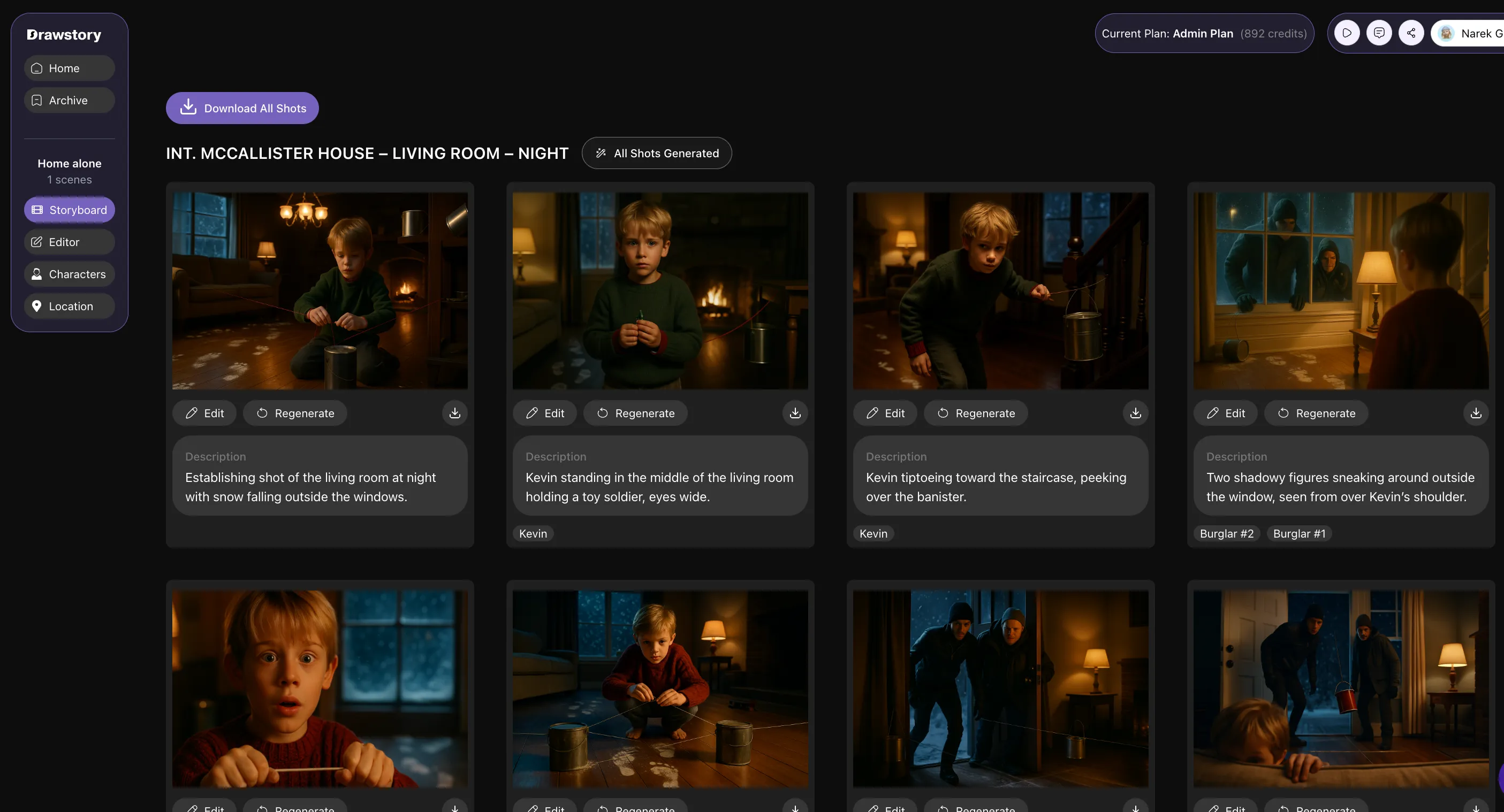
storyboard with character consistency

Client-Ready Presentations

Present your storyboards directly to clients, saving time and enhancing communication
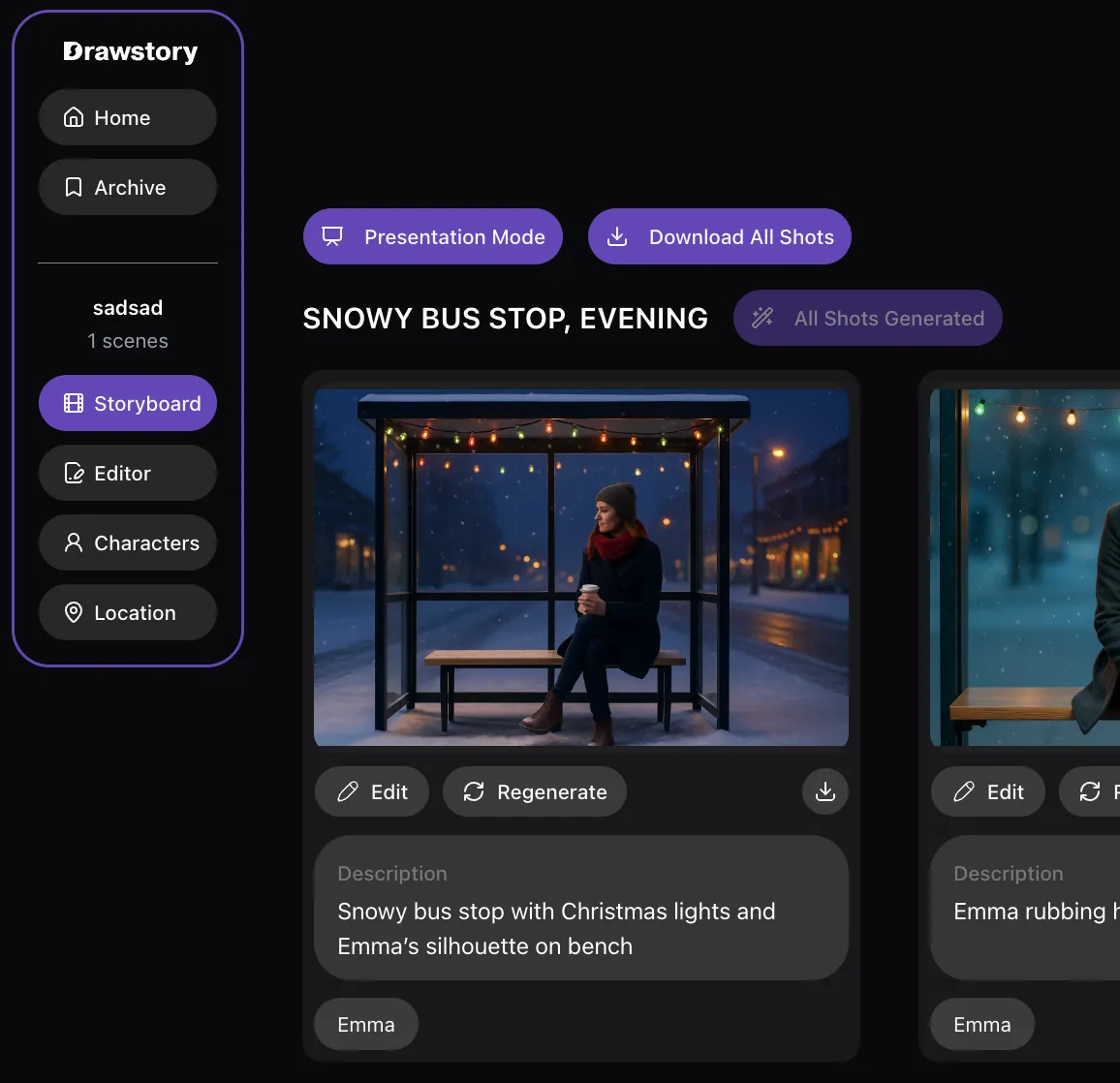
Customizable Frames

Swap characters, replace objects, or adjust compositions without starting over.
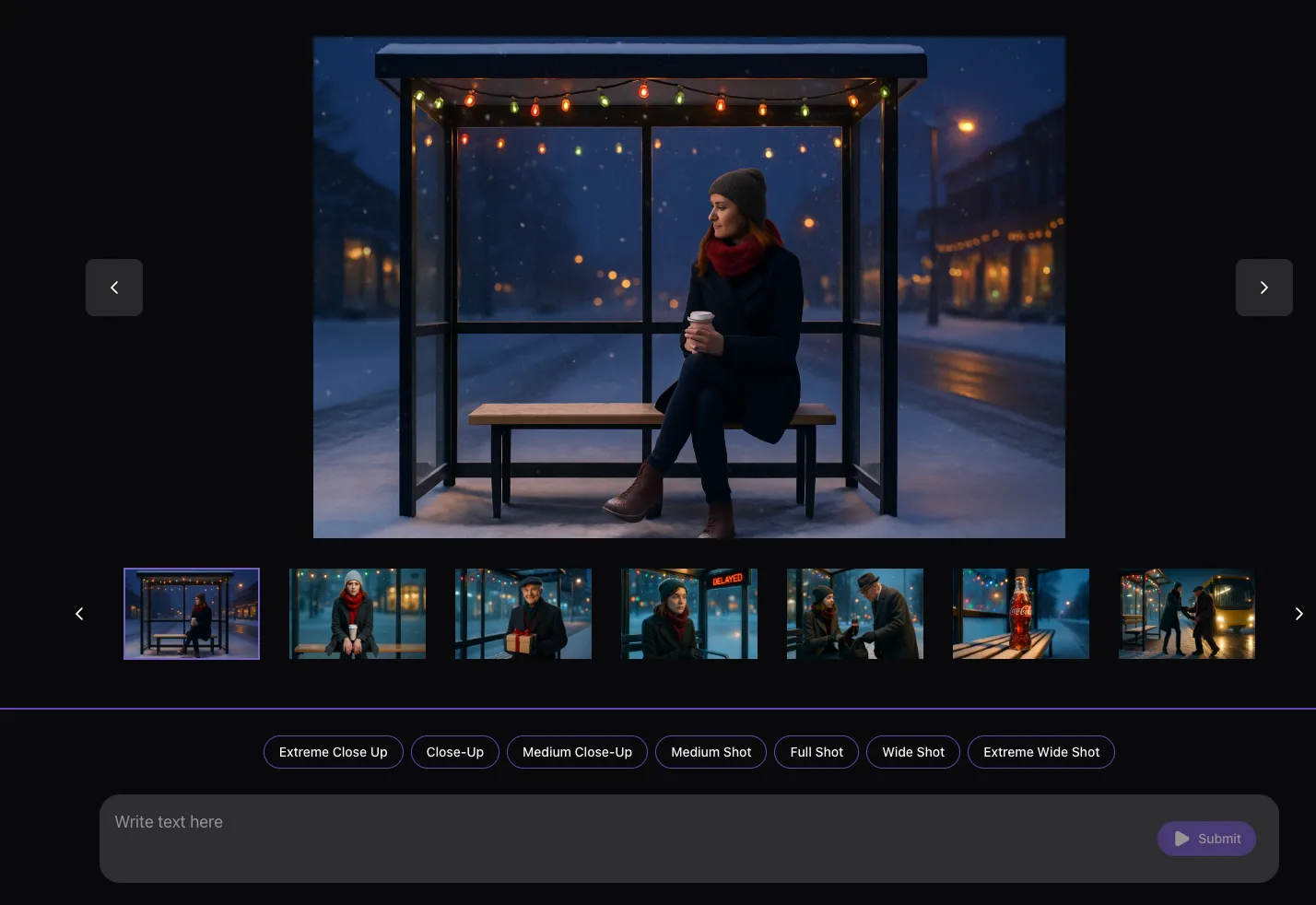
Got Questions?

We’ve got the answers you’re looking for - Quick answers to your questions.

What is Drawstory?
plus sign icon

Drawstory is an AI tool built specifically for filmmakers. It converts your script into a sequence of cinematic shots, provides character and location references, and helps you build pitch decks without prompting.

How is Drawstory different from Midjourney?
plus sign icon

Midjourney creates beautiful single images but requires complex prompting and lacks script-to-storyboard, character consistency, and cinematography logic. Drawstory automatically visualizes your script, keeps characters consistent, and generates full storyboards in minutes.

Is Drawstory better than LTX Studio?
plus sign icon

Yes for professional filmmakers. LTX Studio struggles with character consistency, requires users to choose models, and doesn’t offer location reference or an AI shot editor. Drawstory offers accurate script visualization, consistent characters, and a full pre-production toolset.

Can Drawstory replace Gemini for scene visualization?
plus sign icon

Gemini can generate fun or social content images, but users often report results far from their imagination. Drawstory is built to interpret screenplays, visualize scenes correctly, and create coherent cinematic sequences.

Does Leonardo AI compete with Drawstory?
plus sign icon

Not in filmmaking. Leonardo is excellent for image editing and design, but it has no cinematography features, no storyboard tools, and no script visualization. Drawstory is purpose-built for film pre-production.

Can Drawstory create a full movie pitch deck?
plus sign icon

Yes. Drawstory includes a pitch deck creator that converts your shots into a professional deck suitable for producers, studios, and streaming platforms.

Do I need to know prompting to use Drawstory?
plus sign icon

No. Drawstory is prompt-free. Upload your script and the AI automatically generates cinematic shots and sequences.

Does Drawstory support character consistency?

plus sign icon

Yes. Drawstory includes character reference tools that keep characters visually consistent throughout all the scenes.