Sign Up
Character Consistency in AI Storyboards: Why It Matters & How to Get It
Author:
Narek Ghazaryan
Date:
April 16, 2026
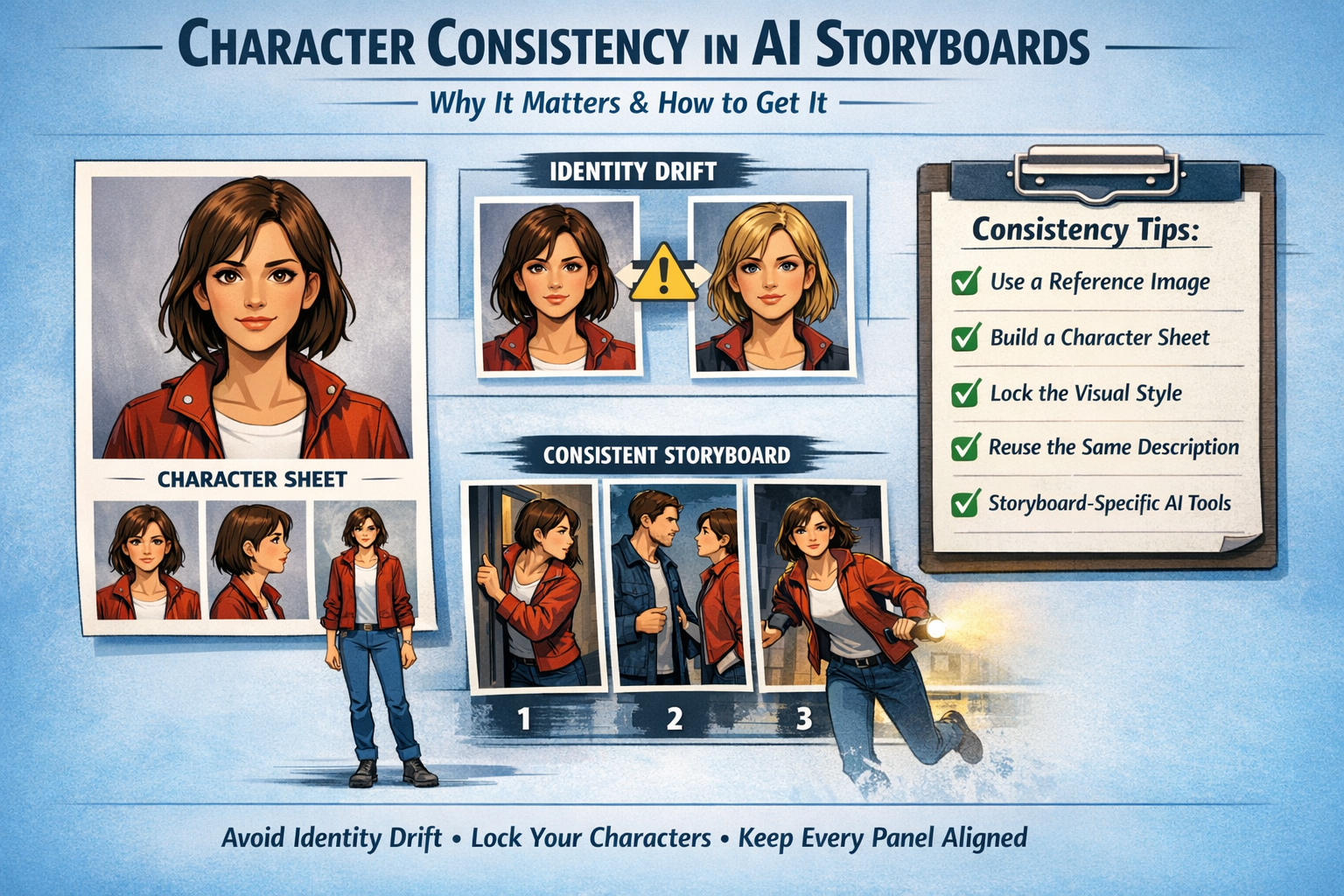
A character with brown hair in frame one and blonde hair in frame five kills the story. Character consistency is the single biggest challenge in AI storyboarding today. It means keeping the same facial features, clothing, and visual identity across every panel. The best AI for character consistency solves this at the platform level. But understanding why the problem exists is the first step toward fixing it.
What Is Character Consistency in AI?
Most AI image generators treat every prompt as a brand new request. The model does not remember what your character looked like in the previous panel. This creates three core problems that every AI storyboarding team faces.
Identity drift is the most common. Small changes to a face or skin tone build up across panels. By frame ten, the character looks like a different person. Even top AI models achieve only 75 to 85% consistency across style changes (source: Alibaba IP-Adapter research).
Attribute bleed happens when details from one character leak into another. A jacket from one panel appears on the wrong person in the next.
Pose degradation distorts body proportions when the camera angle shifts.
In a single illustration, these issues are minor. In an AI storyboard with 20 or 30 panels, they compound fast. Every frame is a new chance for drift. This is why consistent character AI tools exist as a category now.
Why Character Consistency Matters for Storyboards
Inconsistent characters do more than look unprofessional. They create real production problems:
- Narrative breaks down: The audience loses track of who is who. The story stops making visual sense across panels.
- Client approval stalls: Clients spot inconsistencies immediately. Every mismatched feature triggers a revision round and slows the timeline.
- Production teams lose trust: A storyboard that cannot keep a character straight gives the crew no reliable reference for the actual shoot.
- Manual fixes eat hours: Correcting faces, hair, and outfits panel by panel defeats the speed advantage of AI in the first place. One production team reported that AI cut pre-production time by 60%, but only after solving consistency issues (source: Story-boards.ai).
Strong storyboard examples from professional projects all share one thing. Every character is instantly recognizable from the first frame to the last.
Common Causes of Inconsistency
Most consistency failures trace back to a few repeatable mistakes:
- Vague or shifting prompts: Describing the same character differently across panels introduces variation the model amplifies.
- No reference image: Without a visual anchor, the AI guesses what the character looks like each time.
- Switching styles mid-project: Going from realistic to illustrated halfway through confuses the model’s identity mapping.
- Over-describing per panel: Re-writing the full character description for every frame increases drift. Only describe the action and scene.
- Ignoring clothing and accessories: A missing hat or changed jacket signals a new character to the viewer.
Script to storyboard AI tools reduce this risk. They extract characters from the script once and reuse their profiles across all panels. The character references in each storyboard panel stay locked to one source of truth.
How to Achieve Character Consistency Step by Step
These six steps form a reliable workflow for keeping consistent characters across every AI storyboard panel. Follow them for the best results.
1. Build a character sheet first: Before generating a single panel, create a reference document. Include a front view, side view, key facial features, hair details, and color codes. This is your visual anchor for the entire project.
2. Write one master description and reuse it: Describe your character once with specific details. Use exact phrases like “short black hair, center part” instead of “dark hair.” Copy this into every prompt.
3. Upload a high-quality reference image: A single clear portrait gives the AI a visual foundation. Frontal views work best. This reference carries the character’s identity across every generation.
4. Lock your style early: If you start with a cinematic look, stay with it. Switching between 3D, anime, and illustration mid-board resets the model’s identity mapping. Use style references to maintain a consistent aesthetic.
5. Change one variable per panel: Adjust the camera angle or the action. Do not change character details at the same time. Isolating changes keeps the underlying identity stable.
6. Use a dedicated AI storyboard creator with built-in consistency. Generic image generators lack multi-panel memory. Storyboard-specific tools lock character identity across every frame automatically.
Approaches to Character Consistency Compared
Not every method works the same way. Here is how the three main approaches stack up.
For most storyboard projects, built-in tools offer the fastest path to character consistency that teams actually trust. LoRA training makes sense for long-running series where the same cast appears across hundreds of panels. Reference images work well for one-off projects with tight deadlines.
How Consistent Character AI Technology Works
Understanding the technology helps you pick the right tool. Modern consistent character AI platforms create a mathematical fingerprint from your reference image. This fingerprint captures facial structure, skin tone, hair texture, and body proportions.
When you generate a new panel, the AI references this fingerprint to maintain identity. The stronger the anchor image, the more stable the output. A clear, well-lit frontal portrait gives the model the most data to work with.
Some platforms go further with character elements systems. You define a character once with a name, description, and reference photos. The platform stores that identity and applies it everywhere. This is how AI storyboard character tools differ from basic generators. The identity persists across every scene without re-prompting.
The result is frame-to-frame visual continuity. Your protagonist looks the same in panel one as in panel thirty.
What to Look for in an AI Storyboard Tool
Not every platform handles character consistency the same way. When evaluating the best AI for character consistency, look for these features:
- Character lock or memory: The tool remembers what each character looks like and applies it to every new panel.
- Style consistency controls: Lighting, color palette, and rendering style stay uniform across the full board.
- Reference image upload: You provide the anchor image once. The tool uses it everywhere.
- Multi-character support: Scenes with two or more characters keep each person distinct without attribute bleed.
- Camera flexibility without identity loss: Shifting from a wide shot to a close-up should not change the character’s face.
Comparing the top platforms side by side helps narrow the field. The current best AI storyboard generators all prioritize character lock as a core feature.
AI for filmmakers platforms with these features cut revision cycles in half. A freelance storyboard artist charges $40 to $100 per panel for commercial work (source: Vox Illustration). When every inconsistent panel needs manual rework, those costs add up fast across a 30-panel board.
Character Consistency Across Project Types
Different projects demand different levels of character consistency. Here is what to expect:
- Short films and narratives need tight consistency across 30 to 50 panels. Every scene builds on the last. One mismatched face breaks immersion.
- Commercials and ads require consistency across 8 to 12 panels. Brand compliance adds another layer. The product and talent must match approved references.
- Comics and graphic novels have the highest demand. Recurring characters appear across dozens of pages. The AI comic maker workflow depends entirely on frame-to-frame consistency.
- Pitch decks and client presentations need visual polish. Inconsistent characters undermine the professionalism of the entire pitch.
The convert story into comic workflow is especially sensitive to drift. Readers compare panels side by side. Even small changes stand out.
Lock Your Characters From Frame One
Character consistency separates amateur AI boards from production-ready storyboards. Start with a strong character sheet. Lock your style before you generate a single frame. Use tools built for multi-panel workflows where character consistency carries across every scene. DrawStory keeps your characters locked from the first panel to the last so your team can focus on the story.
Frequently Asked Questions
Got Questions?
Find clear answers to common questions about Drawstory, our services, process, and how we bring your ideas to life.
Why is character consistency so difficult for AI?


How many panels can AI maintain consistency across?
Can AI fully solve character consistency today?
How can I keep characters consistent across panels?
Do reference images really improve consistency?



