Storybook AI that remembers your characters on every page
Most AI image tools draw a different hero every time you click generate. Drawstory is a storybook AI built for the whole book, and the whole series: same faces, same style, same world, from page one to the last page.
Upload your story, lock your characters, and illustrate it scene by scene. No prompt writing required.
Built for authors, parents, educators and publishers who need more than one pretty picture.
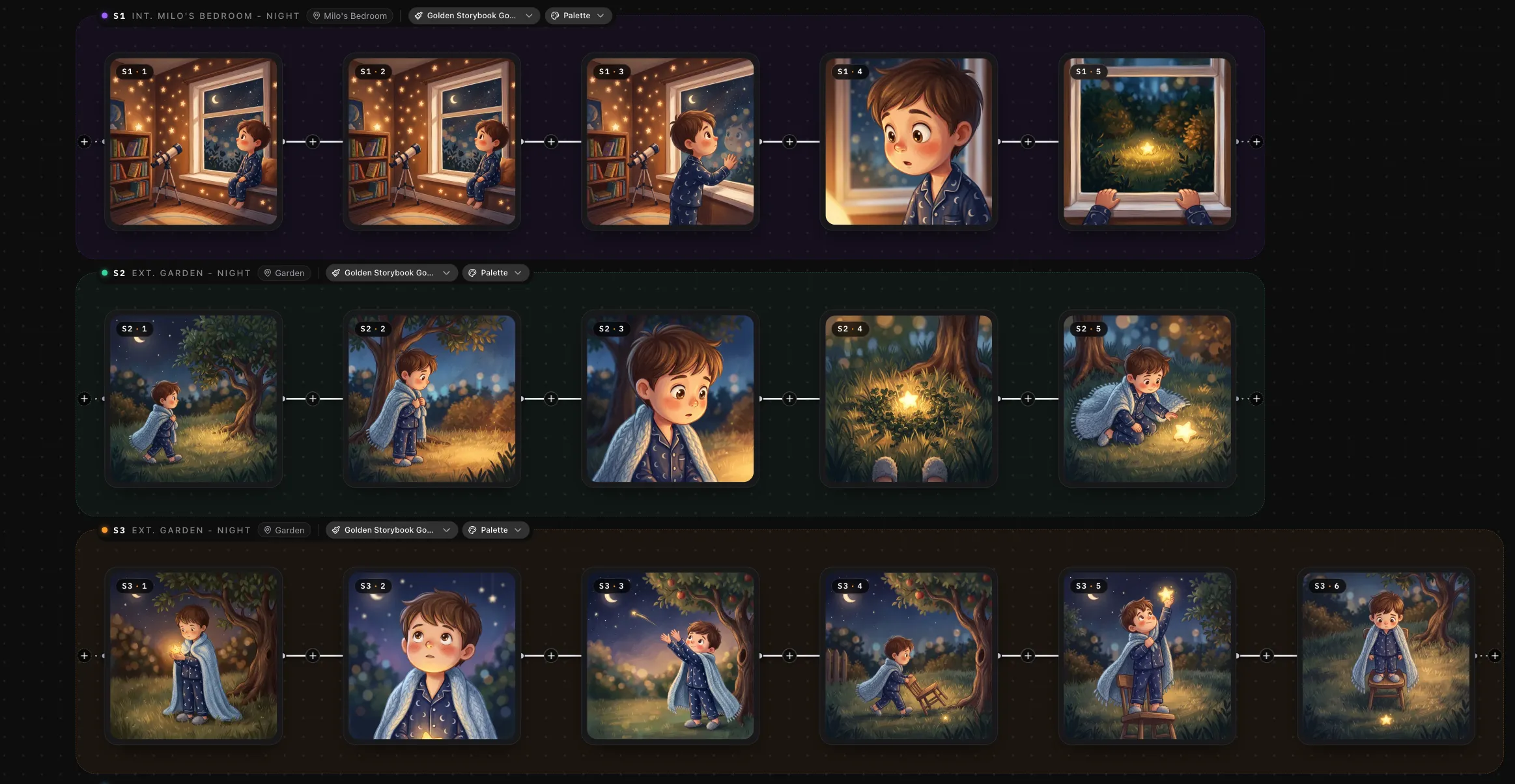
Why most AI storybooks fall apart by page three
You write a brave little fox with a red scarf. Page one looks perfect. By page four the scarf is blue, the fox has a different face, and the forest looks like it belongs to another book. If you have tried to create a storybook with AI before, you have probably hit these walls.
Characters that drift
The same hero looks like a different person in every scene, so readers lose the thread of your story.
Styles that do not match
Your cover says one thing and your interior pages say another. The book never feels like one book.
No way to scale
One book is hard enough. A five-book series, or a collection of hundreds of illustrations, feels impossible.
Unclear print and rights
You are not sure the files are good enough to print, or whether you are allowed to sell the finished book.
How to create a storybook with AI in four steps
From manuscript to finished illustrations, in one workspace. Every step keeps your characters and style locked.

Upload your story
Paste or upload your full manuscript. Drawstory breaks it into scenes so every page is ready to illustrate.
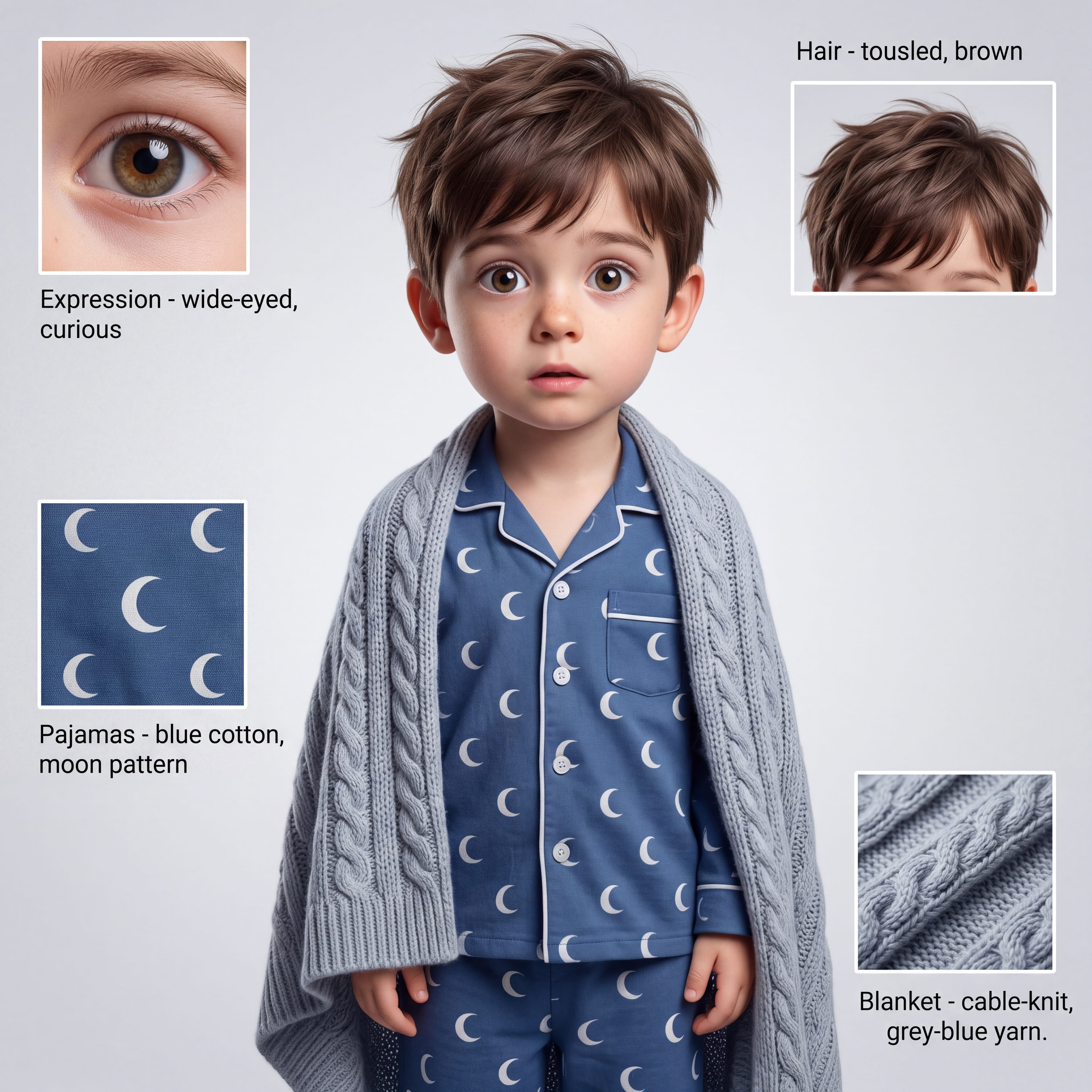
Define your characters
Describe them, or upload your own reference images and character designs to set exactly how they look.
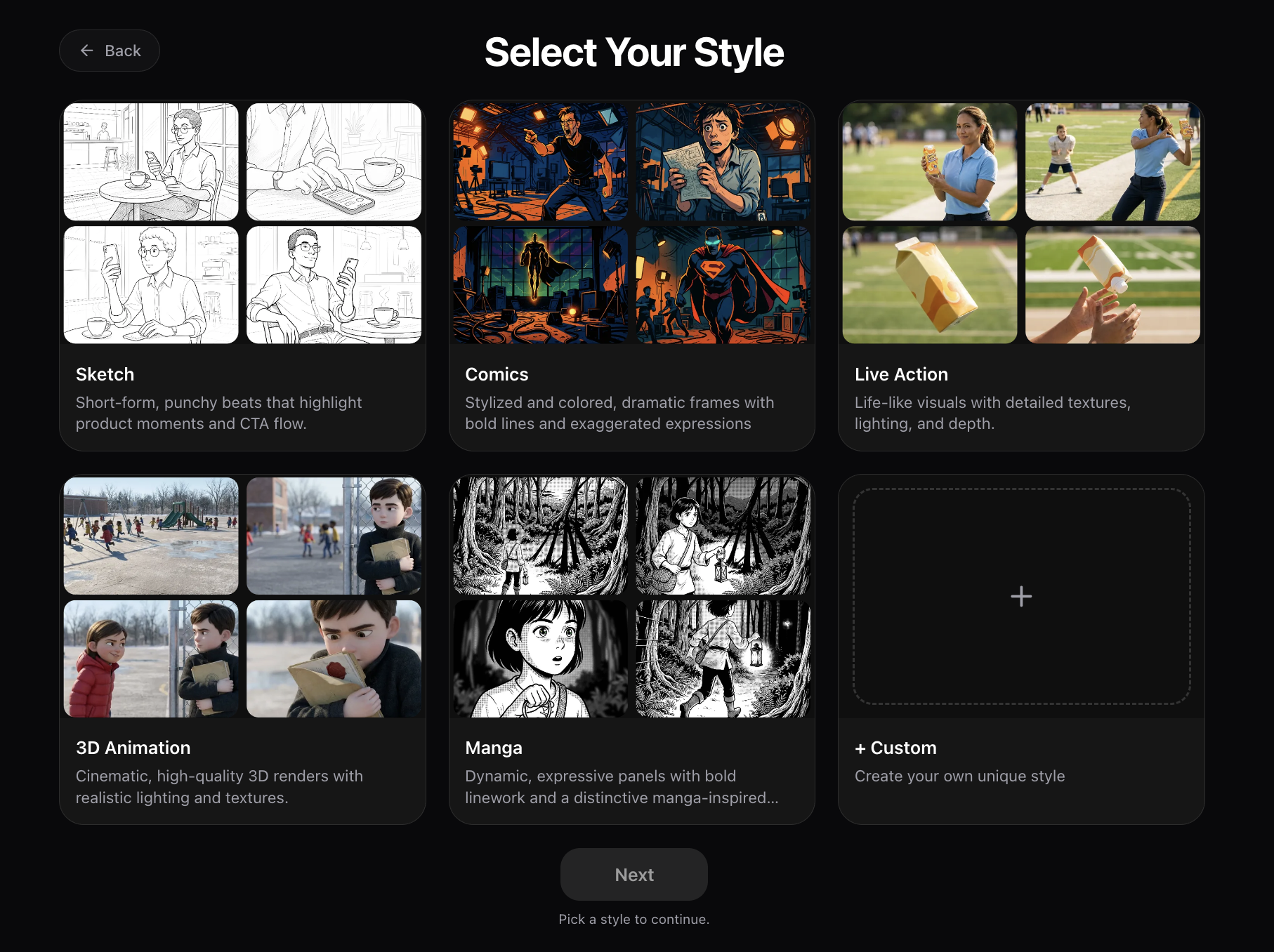
Lock your style
Pick a visual style, or use an existing cover as the reference so every page matches the look you already love.
Generate and export
Illustrate every scene, refine what you like, and export your images for layout and print.
Everything you need to illustrate a book, not just a picture
This AI storybook generator is built around the things authors, publishers and storytellers told us they need most.
Consistent characters across every illustration
Keep the same face, hair, skin tone and proportions from the first scene to the last, across hundreds or even thousands of illustrations. Expressions, body positions, camera angles, environments and lighting change with your story. Your character stays recognizable.
Outfits can change when the plot calls for it. The character underneath does not.
%20(1).jpg)
Multiple characters in the same scene
Define a cast of four or more recurring characters, then place any combination of them together in a scene. Each one keeps the look you established, whether it is a two-person conversation or a full village gathering.
.webp)
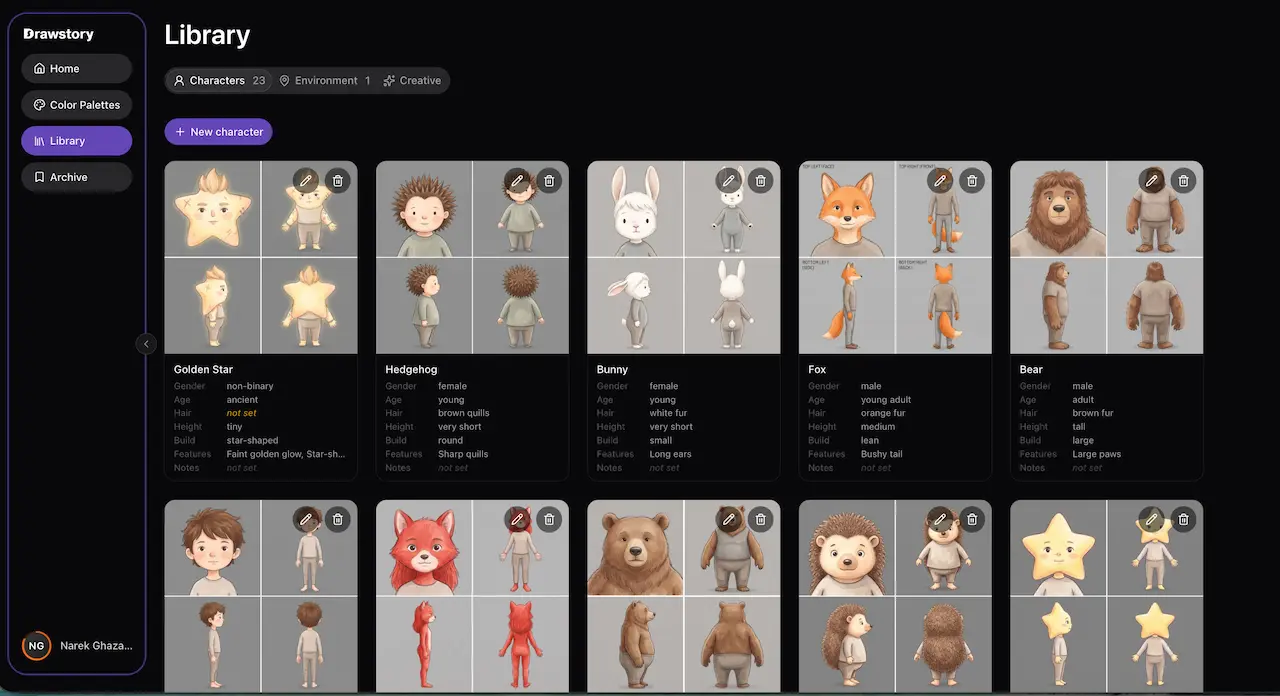
Character and location libraries you can reuse
Save your main characters, supporting cast, clothing, vehicles, interiors, locations and other recurring elements. Pull them back into any scene, in any chapter or book, without rebuilding them from scratch.
Use your own reference images and designs
Already have a character sketch, a finished cover or a color palette? Upload it and build around it. Your references set the final appearance of your main characters, so the book looks like yours, not like a template.
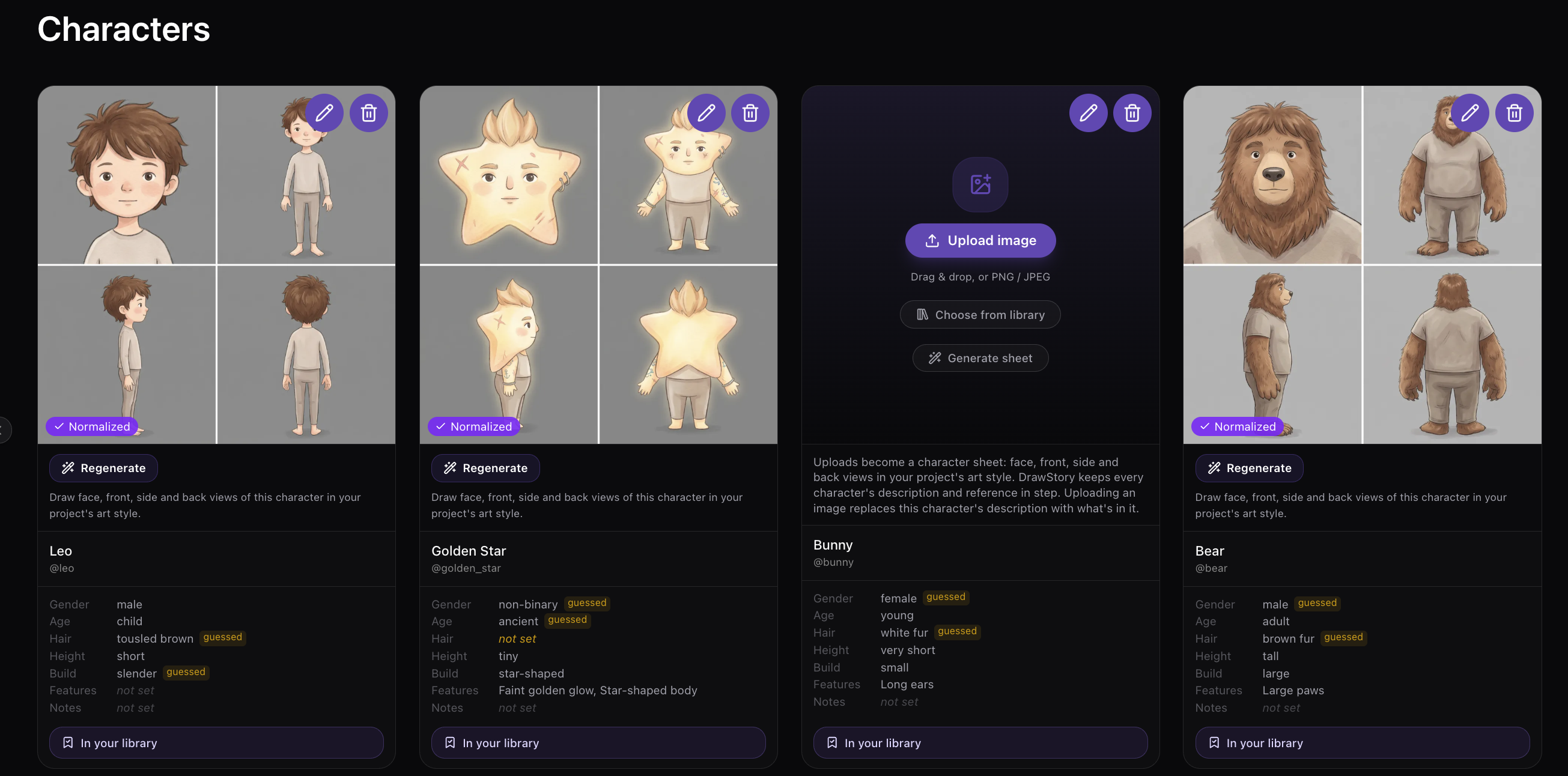
Series-ready from book one to book five and beyond
Start with the front and back cover of Book 1 as your style reference. Upload the manuscripts for the rest of the series and carry the same look, color palette and cast through every book. Characters stay locked. Clothing changes only when your story says so.

Storybooks created with DrawStory
Real books, real series, real characters that stay on model from the first page to the last.
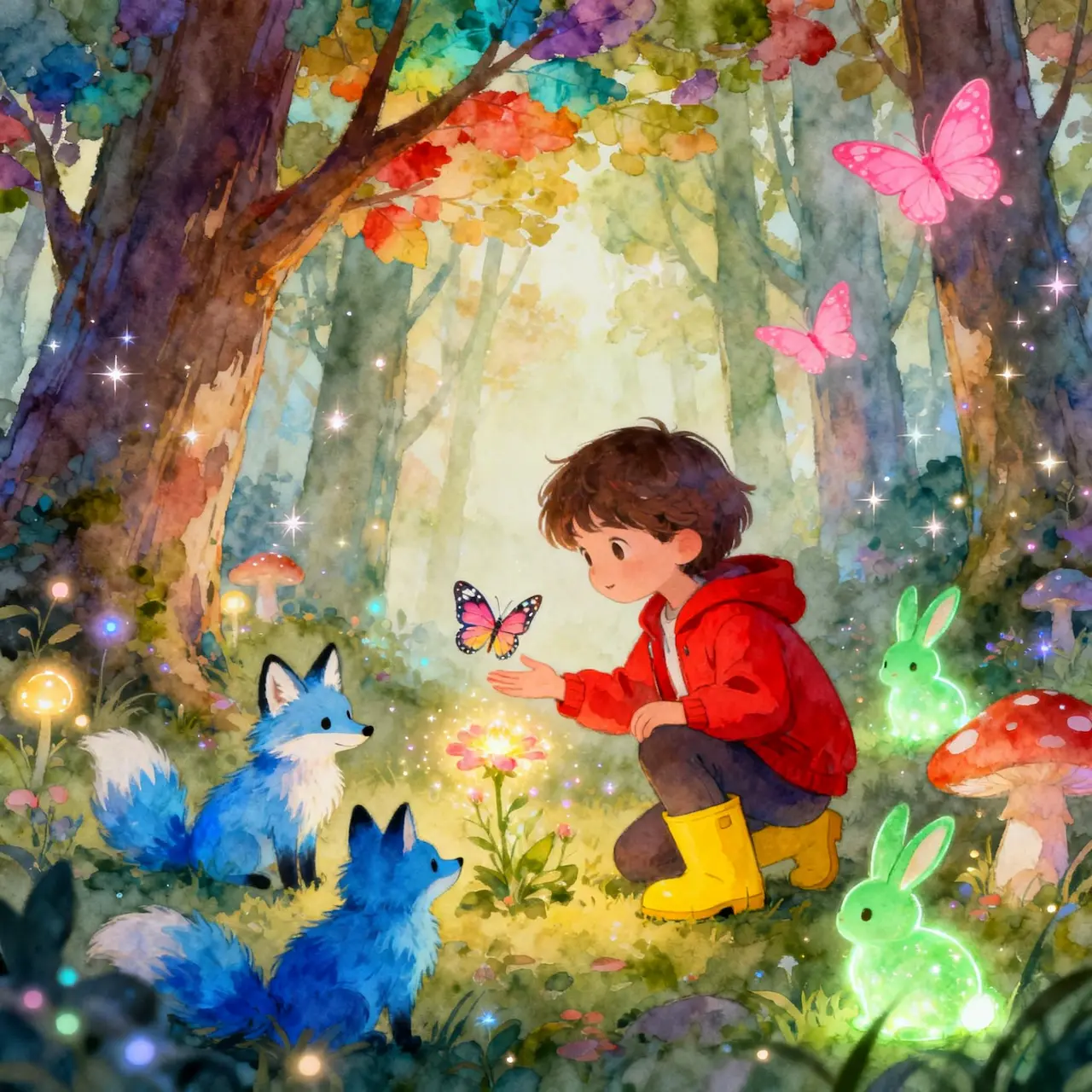
Children's picture book
Leo and the Star That Fell into His Garden
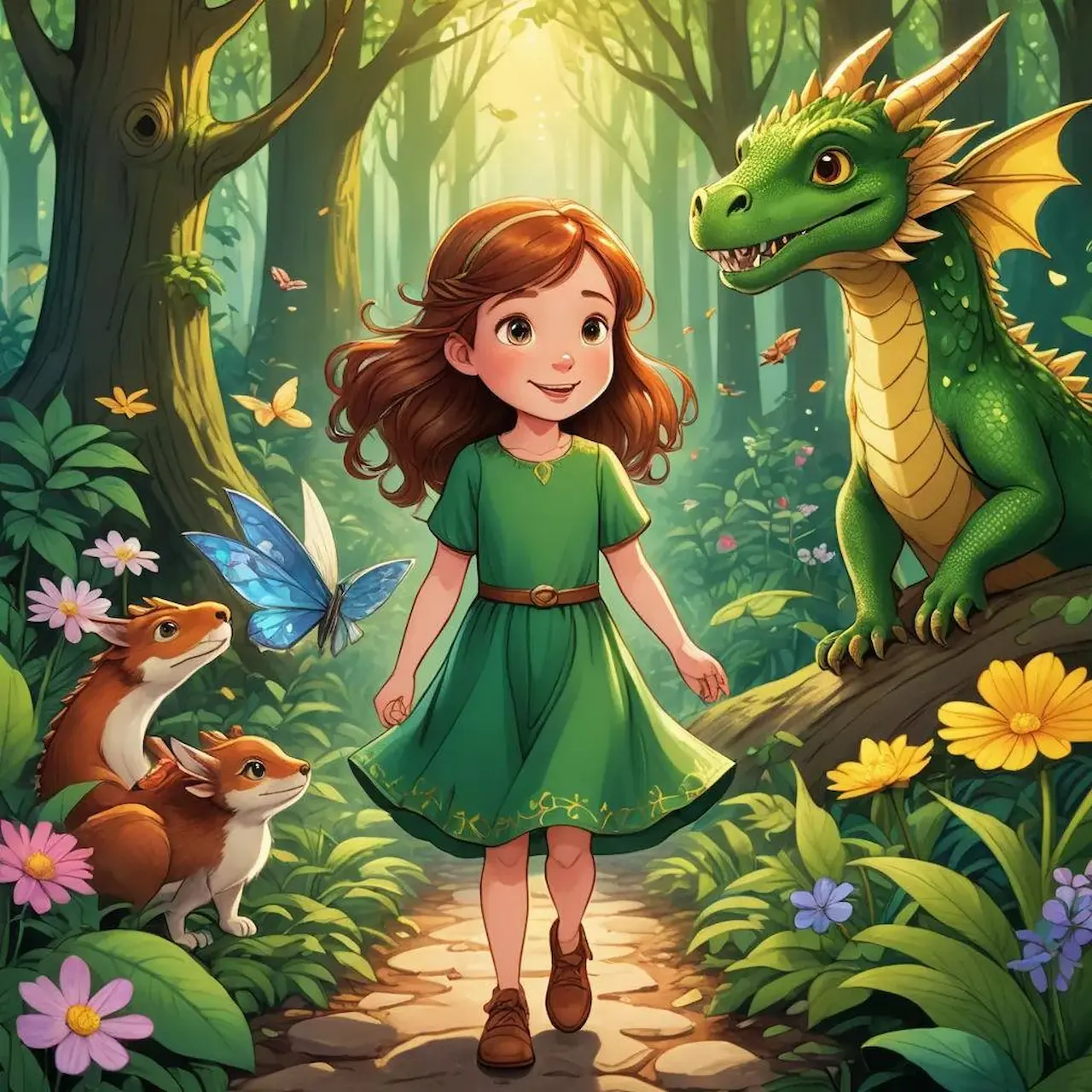
Folk tale collection
Tales from the Whispering Forest
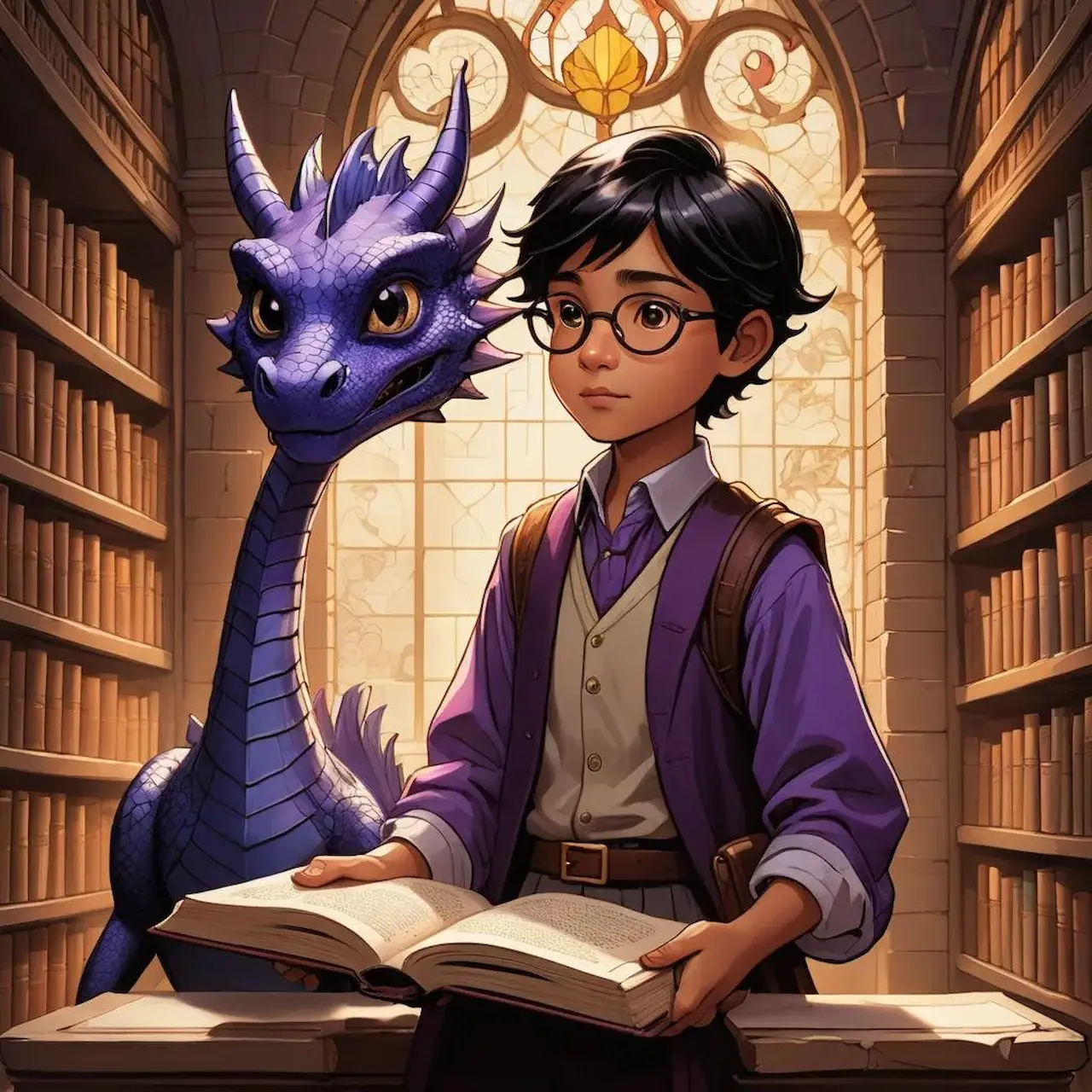
Multi-book series
The Mapmakers of Elsewhere
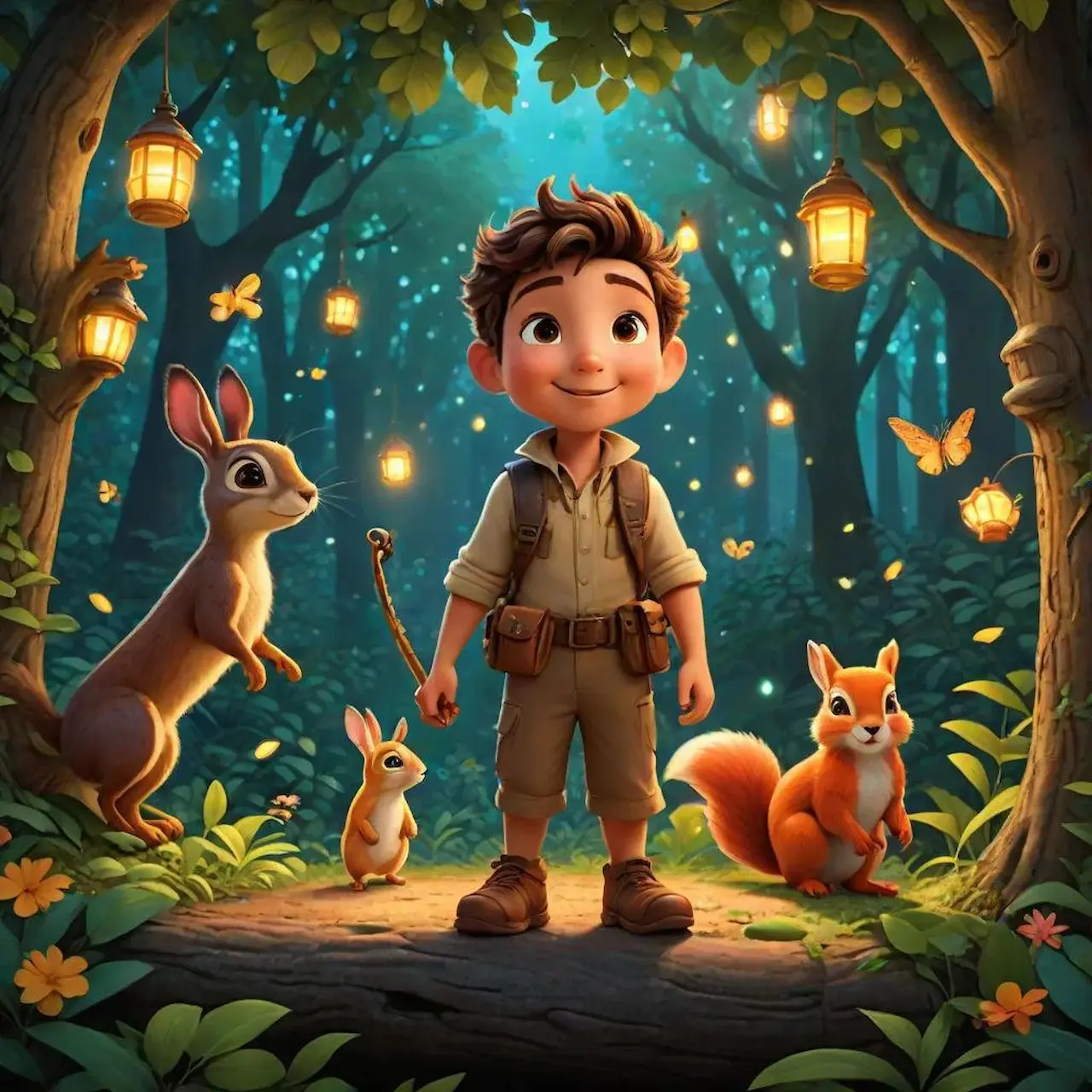
Personalized storybook
The Day Max Became a Hero
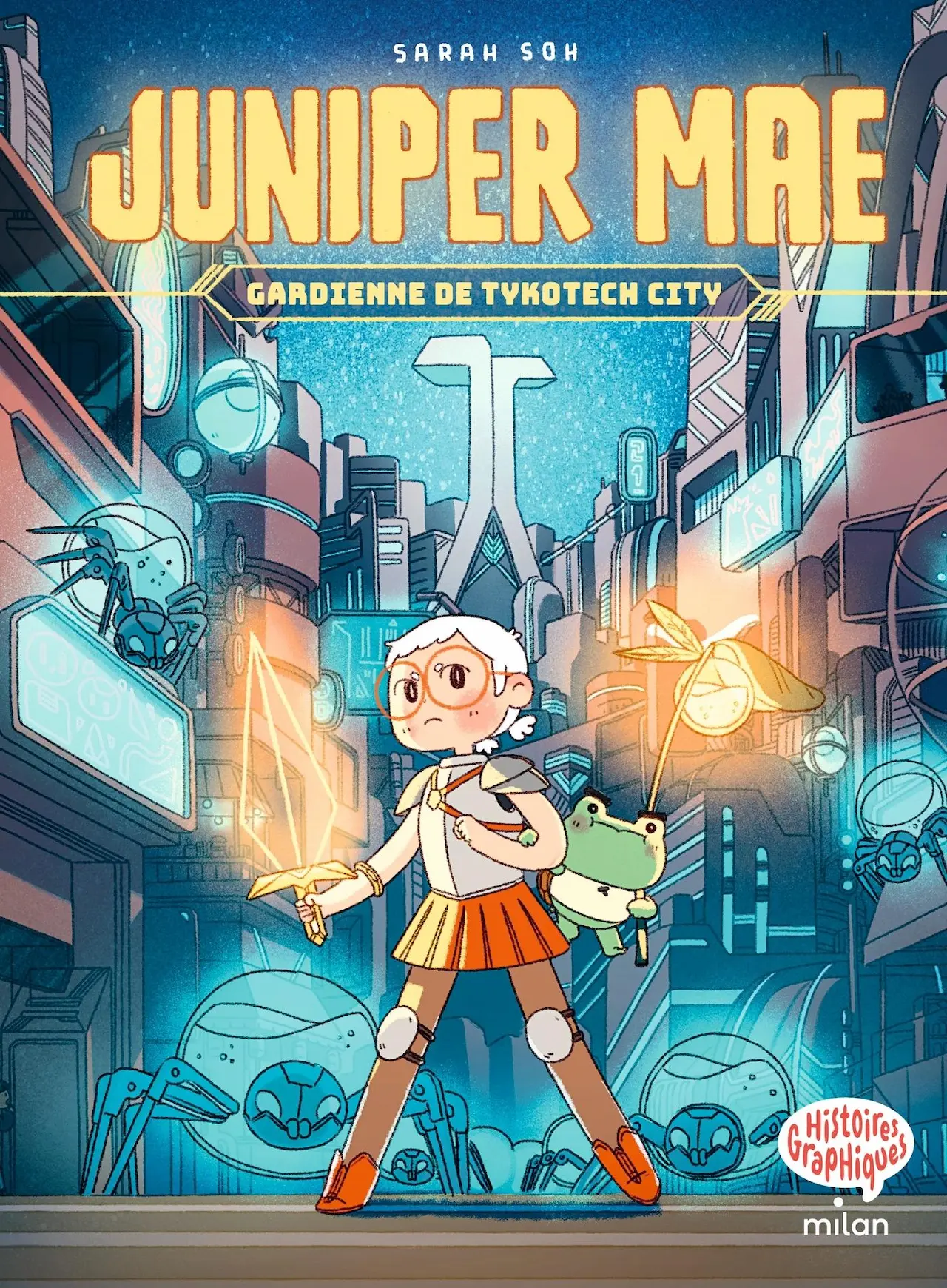
Comic and graphic story
Neon City: The Missing Hour
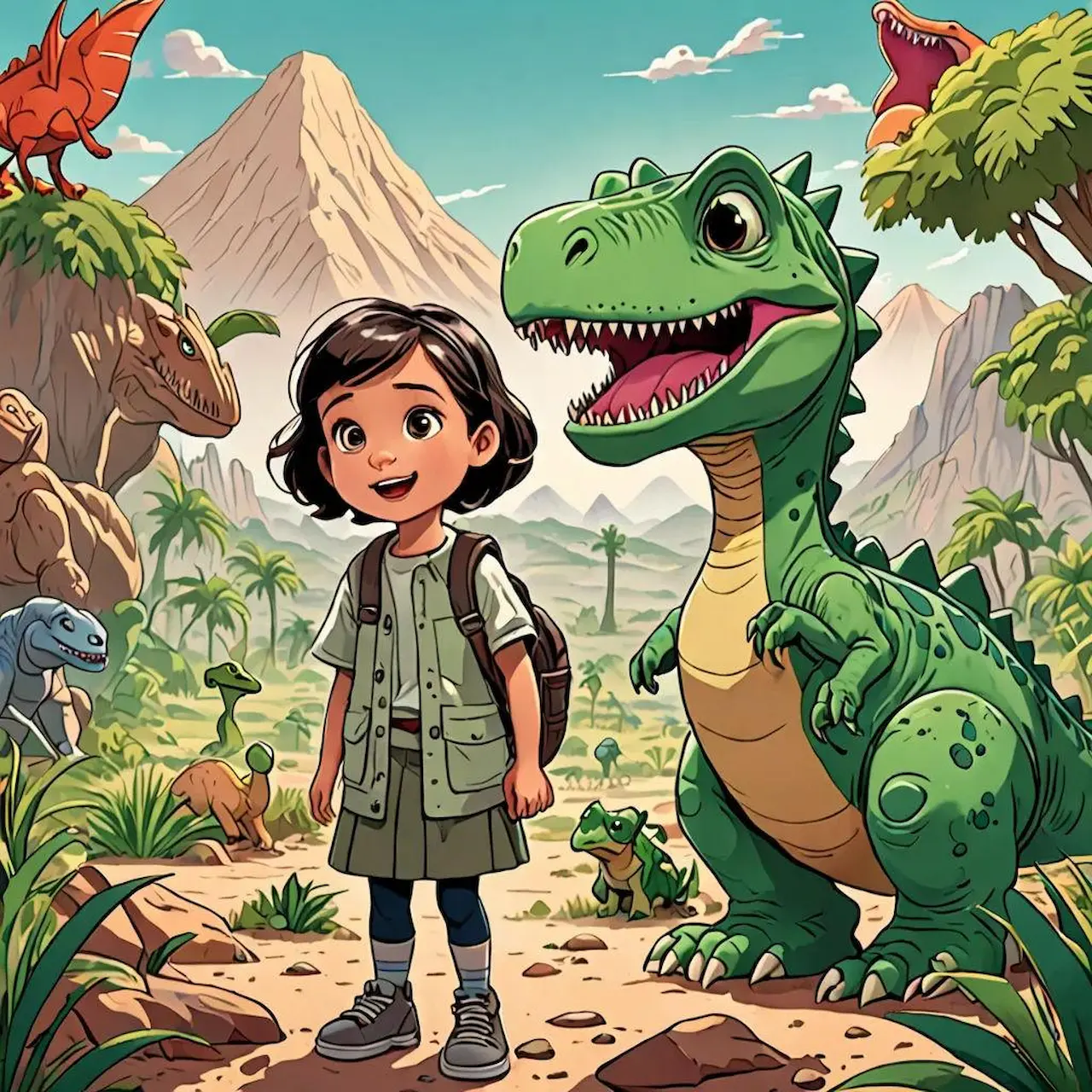
Educational reader
Dino Detectives: How Dinosaurs Lived
One storybook AI, many kinds of storytellers
Children's book authors and self-publishers
You have the manuscript but not the budget for a full-time illustrator on every page. Illustrate your picture book in one consistent style and get it ready for print.
Authors of multi-book series
Lock your characters and art direction across five books or more, so readers recognize your world from the first cover to the last.
Cultural and educational storytellers
Bring lesser-known folk tales and fairy tales from around the world to life, the ones that have not been adapted a thousand times, with a recurring cast and a shared visual language.
Parents and gift-givers
Make a personalized storybook starring your child, a family member or a favorite pet. Write a bedtime story that is truly theirs and see it illustrated.
Teachers and educators
Turn classroom stories and lessons into illustrated readers your students will actually want to open.
Comic and graphic story creators
Build multi-panel pages with speech bubbles, narration and captions, using the exact dialogue you write.
Made for real books, not just screens
Export your illustrations as high-resolution PNG files in a ZIP, ready to drop into your layout software and send to the printer.
Your story is your book. Images you create on a paid DrawStory plan can be used in a commercially published and sold book, including printing, distribution and retail sale, with no royalty and no ownership claim from DrawStory.
Storybook AI questions, answered
What is a storybook AI?
A storybook AI is a tool that turns your story into illustrated pages. DrawStory goes further by keeping your characters and art style consistent across the whole book.
How do I create a storybook with AI?
Write or upload your story, define your characters, choose a style, then generate each scene. You can refine any illustration before exporting.
Can AI keep my characters looking the same on every page?
Yes. DrawStory lets you lock your characters' appearance and reuse them across scenes, so they stay recognizable even when pose, expression, camera angle, lighting or setting changes.
Can I make a personalized storybook?
Yes. Create a story starring your child, a relative or a pet, and illustrate it with characters that stay consistent from page to page.
Can I illustrate a whole series?
Yes. Use your Book 1 front and back cover as the style reference, upload your other manuscripts, and carry the same look, palette and characters through every book.
Can I use my own character designs and reference images?
Yes. Upload your own references to define exactly how your main characters look.
Can I add speech bubbles and exact dialogue?
Yes. Provide your dialogue, narration or captions and DrawStory places the exact text in your panels.
Can I publish and sell books made with DrawStory?
Yes. Images created on a paid plan can be used in commercially published and sold books, with no royalty and no ownership claim from DrawStory.
Your story deserves illustrations that match from the first page to the last
Start free and see your characters come to life.



