Sign Up
Scene Breakdown Guide: Script Markup to Shooting Schedule [2026]
Author:
Narek Ghazaryan
Date:
May 22, 2026
A first AD opens a 90-page screenplay. Every page contains hidden production demands: props, stunts, locations, and wardrobe that all need planning. The scene breakdown is the process that surfaces every one of those demands before the camera rolls.
The global film production services market reached $41.2 billion in 2025 (source: Grand View Research). Every dollar spent on set traces back to decisions made during the script breakdown. A missed element in the breakdown sheet means a missed item on set. That costs time, crew overtime, and budget overruns.
What Is a Scene Breakdown?
A scene breakdown is the systematic process of reading a screenplay and identifying every production element in each scene. Each element falls into a standard category: cast, extras, props, wardrobe, vehicles, special effects, sound, and more. The result is a breakdown sheet for every scene in the script.
The scene breakdown sheet serves as the master reference for every department head. The prop master sources items from it. The costume designer plans fittings from it. One document feeds the entire production pipeline.
Why Does Every Production Need a Script Breakdown?
Skipping the breakdown creates problems that compound through production.
Budget accuracy: Line producers build budgets from breakdown data. Without a complete scene breakdown, cost estimates rely on guesswork. Guesswork creates budget shortfalls during shooting.
Scheduling precision: The assistant director builds the shooting schedule from breakdown sheets. Missing elements mean missing items on the day, which means delays.
Department coordination: Every department receives its filtered version of the production breakdown. The breakdown is the single source of truth that keeps all departments aligned.
Risk identification: Stunts, special effects, animals, and minors require special planning. The script breakdown flags these elements early. Previsualisation workflows help teams identify high-risk sequences before they reach the set.
What Are the Standard Breakdown Element Categories?
The industry uses a color-coded marking system. Each category gets a specific color that every production professional recognizes.
Cast members (red): Speaking roles with dialogue in the scene. Mark every character who appears with a line.
Extras/background (orange): Non-speaking performers in the background. Note quantity and any special requirements like period wardrobe.
Props (purple): Objects actors physically interact with. A phone a character picks up is a prop. A phone on a shelf is set dressing.
Wardrobe (circle): Clothing and accessories for each character. Note if the outfit changes from the previous scene.
Vehicles (pink): Cars, trucks, boats, and any transportation on screen. Distinguish between hero vehicles and background traffic.
Special effects (blue): Practical effects on set. Rain machines, explosions, breakaway glass, and fog. These require safety coordination.
Sound effects/music (brown): Scripted audio elements. A radio playing or a doorbell ringing requires advance planning.
Makeup/hair (asterisk): Special requirements beyond standard application. Wounds, aging, tattoos, and prosthetics need advance prep time.
Animals (bear): Any live animal on set requires a trainer and often legal permits. Even a background dog triggers additional insurance.
Production notes (yellow): Notes outside standard categories. Time-of-day requirements, weather conditions, and special crew needs.
How Do You Break Down a Script Step by Step?
The process follows a specific sequence. Rushing or skipping steps creates gaps that surface during production.
Step 1, Read the full script: Read without marking anything. Understand the story and character arcs first. Context shapes how you interpret production demands in each scene.
Step 2, Number every scene: Assign a sequential number to every scene in the screenplay. Scene numbers become the reference system for every document that follows. Storyboard examples show how scene numbers carry through from breakdown to visual planning.
Step 3, Mark elements by category: Read each scene again with colored markers or digital tools. Highlight every element in its assigned color. A missed prop today becomes a crisis on set tomorrow.
Step 4, Create the breakdown sheet: Transfer marked elements into a scene breakdown sheet. One sheet per scene. Include scene number, page count, location, time of day, and every element by category. Script to storyboard AI tools can generate visual panels alongside each sheet.
Step 5, Estimate page count: Each scene gets a page count measured in eighths. A scene covering three-eighths of a page gets a "3/8" notation. This drives scheduling math.
Step 6, Classify interior or exterior: Mark each scene as INT or EXT. This determines lighting equipment and weather dependencies. Day or night classification follows the same logic.
Step 7, Review with department heads: Share completed sheets with each department for verification. The prop master may catch missed items. The stunt coordinator may flag safety requirements. How filmmakers create storyboards with AI shows how visual planning supports the review process.
How Do Different Departments Use the Breakdown?
The master breakdown feeds specialized documents for each department. Every team filters the same data for their specific needs.
Camera and lighting: Extract locations, time of day, and interior/exterior data. These determine equipment packages and crew call times. Film composition decisions start at the breakdown stage.
Art department: Pull props, set dressing, and design notes. Build a scene-by-scene inventory of everything that needs fabrication, rental, or purchase.
Costume department: Extract character appearances per scene with wardrobe notes. Track continuity across scenes. A torn jacket in scene 12 must match in scene 14 if the story is continuous.
Sound department: Pull scripted sound effects, music cues, and dialogue notes. Identify scenes needing voice-over, phone calls, or songs that need licensing.
Stunts and special effects: Isolate high-risk elements requiring safety planning and specialized crew. These scenes need additional shooting time. Best AI storyboard software helps visualize stunt sequences before committing to expensive on-set rehearsals.
How Does a Scene Breakdown Connect to the Shooting Schedule?
The breakdown is not the end of pre-production planning. It feeds the next three documents in the pipeline.
Breakdown to stripboard: Each breakdown sheet becomes a strip on the production stripboard. Strips are color-coded by location type: day exterior, night exterior, day interior, night interior.
Stripboard to shooting schedule: The AD arranges strips to minimize company moves and group scenes by cast availability. The production breakdown data determines how long each scene needs.
Schedule to call sheet: Daily call sheets pull from the schedule. Every element on the scene breakdown sheet for that day appears on the call sheet. Video production with storyboarding connects visual planning to this pipeline.
What Tools Handle Scene Breakdowns?
Tool choice depends on budget and production scale.
Manual sheets: Printed breakdown forms and colored pencils remain viable for short films and student projects. Zero cost. Full control. No learning curve.
Spreadsheet templates: Google Sheets or Excel with pre-built columns for each element category. Flexible and shareable. Lacks built-in scheduling integration.
Production software: Movie Magic, StudioBinder, and Gorilla handle breakdown, scheduling, and call sheets in one platform. Industry standard for professional productions.
AI-powered tools: Filmustage and Studiovity auto-detect script elements using AI. They generate draft breakdowns in minutes instead of hours. Human review remains essential. Best AI storyboard generators extend this automation into visual pre-production.
What Mistakes Ruin a Scene Breakdown?
These errors cascade through the entire production pipeline.
Skipping the first read: Marking elements without understanding the story leads to misclassified items. Context determines whether a knife is a prop, a weapon requiring safety protocols, or a set dressing piece.
Inconsistent scene numbering: Changed scene numbers after department heads receive their breakdowns creates confusion. Lock scene numbers before distributing sheets.
Ignoring implied elements: The script says "the crowd cheers." That implies 50 extras, crowd wardrobe, and a location with capacity. Implied elements carry the same production weight as explicit ones.
No continuity tracking: A character injured in scene 8 needs that injury maintained through every subsequent scene. The breakdown sheet film professionals create tracks these continuity elements across the full script.
Under-counting page lengths: Rounding scene lengths down compresses the schedule. This creates overtime and rushed setups on set. Measure accurately in eighths.
Frequently Asked Questions
What is a scene breakdown sheet?
A scene breakdown sheet is a single-page document listing every production element in one scene. It includes the scene number, page count, location, time of day, cast, and categorized elements. One sheet exists for every scene in the screenplay.
How long does a script breakdown take?
A 90-page feature takes 8 to 16 hours to break down manually. AI tools reduce initial markup to under an hour. Human review adds 2 to 4 hours regardless of method.
What is the difference between a breakdown and a schedule?
The script breakdown identifies what each scene needs. The shooting schedule determines when and in what order those scenes will be filmed. The breakdown feeds the schedule. One cannot exist without the other.
Start Every Production with the Breakdown
The scene breakdown is where pre-production begins. Every scheduling decision, budget line, and department assignment traces back to the elements identified in the breakdown sheet. Skip it and the production guesses. Complete it and the production plans.
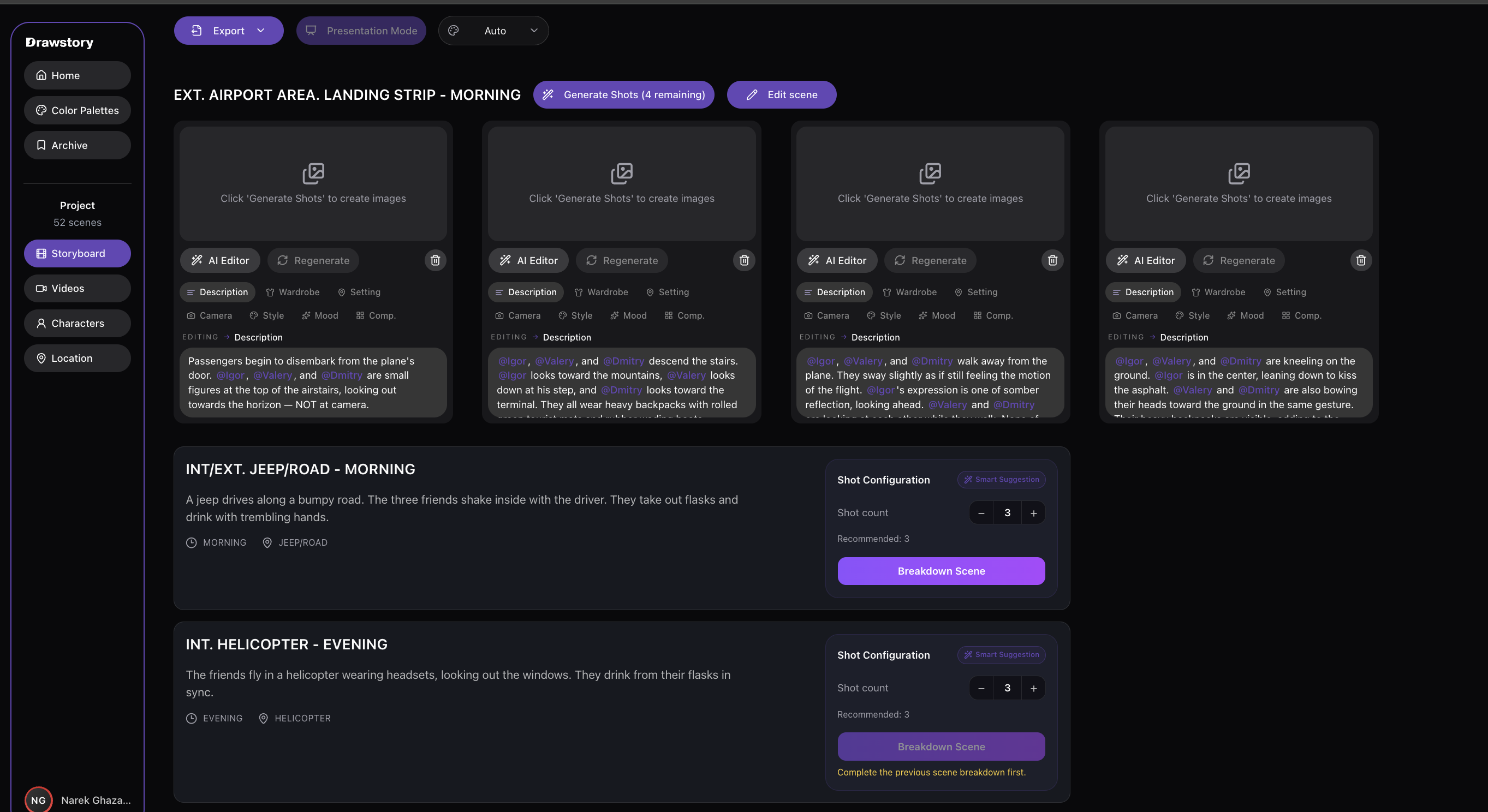
DrawStory connects breakdown planning to visual pre-production. AI storyboarding turns script scenes into storyboard panels that align with breakdown data. Directors get both the element list and visual reference for every shot.
Frequently Asked Questions
Got Questions?
Find clear answers to common questions about Drawstory, our services, process, and how we bring your ideas to life.
What is a scene breakdown sheet?


How long does a script breakdown take?
What is the difference between a breakdown and a schedule?
Can AI tools automate scene breakdowns?
What happens after the script breakdown is complete?



