Sign Up
10 Best Children Storybook AI Tools (2026)
Author:
Narek Ghazaryan
Date:
October 21, 2026
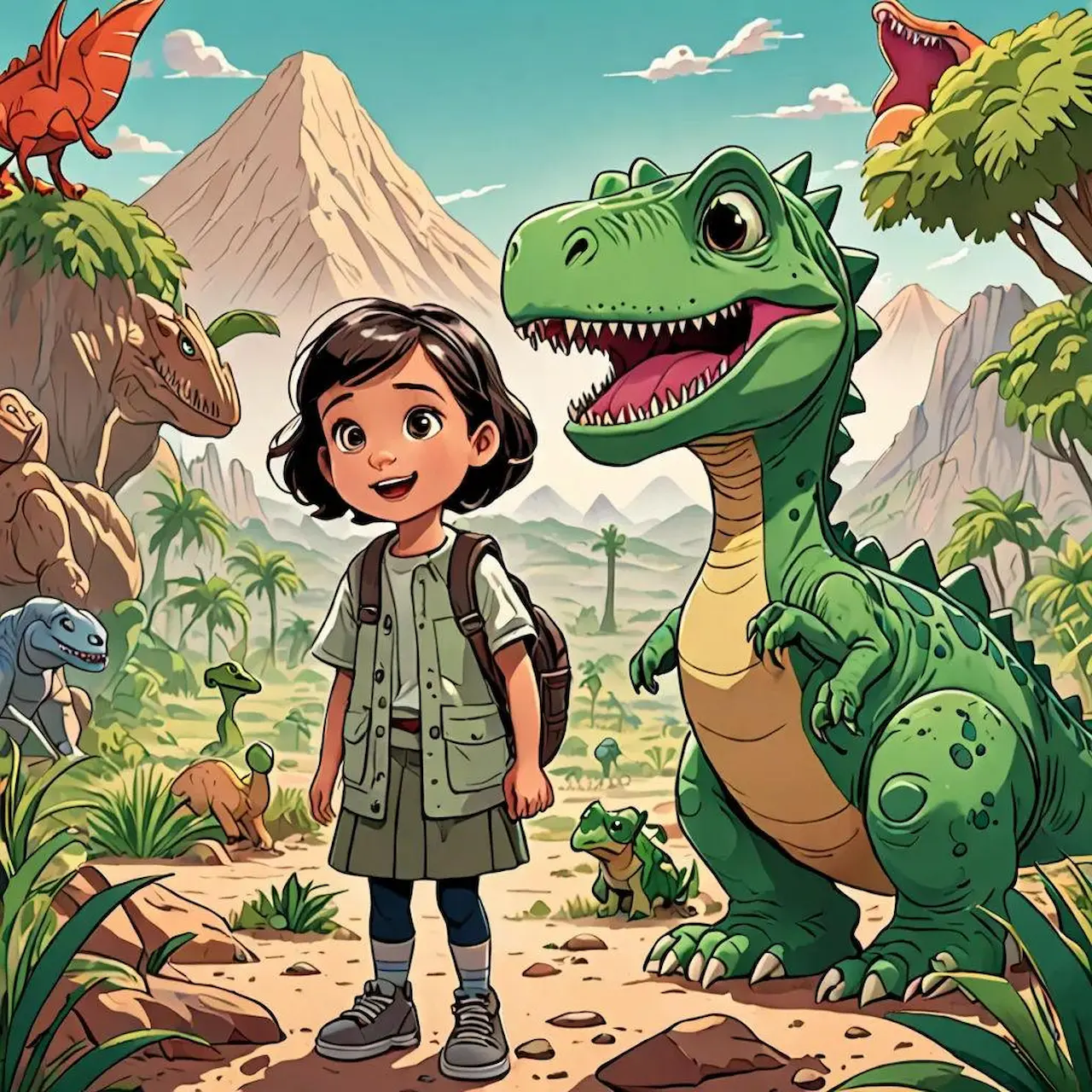
Every parent, teacher and aspiring author has a story that deserves pictures. The problem has always been the pictures. Commissioning a full set of illustrations takes months and a real budget, so a lot of good stories never leave the notes app. A new wave of children storybook maker AI tools changes that: you bring the story and the characters, and the software handles the artwork, the page layout and, in some cases, the narration.
To be clear about what these tools are and are not: an AI storybook maker is a creative partner for storytellers, not a replacement for professional illustrators. A skilled artist brings craft, warmth and interpretation that no model fully reproduces. What AI does is lower the barrier for the author with a finished manuscript but no art budget, the teacher who wants a lesson to land, or the parent who wants a bedtime story starring their own child.
We compared the leading options on what matters most for children’s books: character consistency from page to page, how much control you get over each illustration, how easy the tool is for non-artists, and what it really costs. Below you’ll find a side-by-side table, then a detailed breakdown of each tool, with pricing checked online in October 2026.
Quick Comparison: 10 Best Children Storybook Maker AI Tools
1. Drawstory: Best Overall for Authors Turning a Story Into an Illustrated Book
Drawstory is built for the storyteller, not the prompt engineer. Instead of fighting an image model page by page, you upload your story and let Drawstory break it into scenes, generate the artwork, and keep your characters looking the same from the first page to the last. For a children’s book, where a hero whose face changes on page five ruins the magic, that consistency is the whole game.
The positioning matters: Drawstory gives writers visual control over their own stories. It does not aim to replace illustrators or art teams. It exists for the moments when hiring one is not realistic, and for authors who want to see the narrative on the page before anyone draws a single final spread.
Key Features
- Upload your story: paste a full script or manuscript and generate sequenced, illustrated pages instead of building each one by hand.
- No prompt per page: you do not write a separate prompt for every illustration; Drawstory reads the story and sequences the scenes for you.
- Character consistency: your characters keep the same faces, outfits and look across every page.
- Upload your own characters: bring your own character designs so the cast matches your vision.
- AI prompt editor: change details on a page, such as lighting or an expression, through a simple AI editor with no prompt-engineering skills.
- Speech bubbles: add dialogue and narration directly onto your pages.
Pricing
Drawstory offers a free tier plus paid plans for creators and teams (pricing from drawstory.ai):
- Free: $0/month. 10 images per month, 1 user, chatbot support. Great for testing the workflow.
- Starter: $32/month. 100 images per month, 1 user, chatbot support.
- Director: $62/month. 300 images per month, export, 24/7 support.
- Production: $142/month. Unlimited images, unlimited features, export, 24/7 support.
- Enterprise: custom pricing. Unlimited users, custom workflows and integrations.
Annual billing is available with two months free. Check drawstory.ai/pricing for the latest plans.
Pros
- Purpose-built for writers: upload a story and get a sequenced set of illustrations, not a pile of disconnected images.
- Strong character consistency across pages without manual reference juggling.
- Upload-your-own-character support keeps the cast true to your vision.
- The AI prompt editor lets non-technical creators tweak pages without learning prompt syntax.
- Built-in speech bubbles produce a finished page, not just raw art.
Cons
- Image-per-month limits on lower tiers mean a full picture book may need a paid plan (a 14 to 16 page book uses more than the 10 free images).
- Export is listed on the Director plan and above, so check your plan if you need files for print.
- Heavy print self-publishing may still benefit from a final pass by a designer or illustrator.
Storybook example: An author uploads a 14-page bedtime story and their two lead characters, generates a consistent set of illustrated pages, then uses the AI prompt editor to warm up the lighting on the final page, all without writing a single prompt.
2. Neolemon: Best for Consistent Cartoon Characters
Neolemon is built around one problem: keeping a cartoon character identical across a whole book. You create a character once, save it, and then place it in new poses, scenes and expressions. It is popular with first-time authors heading to Amazon KDP.
Key features: Saved characters, attribute-level editors for poses and expressions, multi-character scenes, free prompt-helper tools, and print-oriented output.
Pricing: 20 free credits with no card required. The basic plan is $29/month for 600 credits (about 150 images at 4 credits each) and includes commercial use. Credits do not roll over, and it currently offers monthly billing only.
Pros
- Excellent character consistency for cartoon-style books.
- Free prompt tools and a simple workflow for non-artists.
- Commercial use included on the paid plan.
Cons
- Focused on illustrations: you still write the story and lay out pages yourself.
- Cartoon style only; not suited to painterly or realistic looks.
- Unused credits expire each month.
Storybook example: A teacher creates a fox character once, then generates 15 scenes of the same fox in different poses and drops them into a layout tool.
3. ToonyStory: Best for Personalized Books Starring Your Child
ToonyStory turns a photo into a recurring storybook character. You lock a child’s face, hair and outfit from a single photo, add siblings, parents or pets, and the AI writes and illustrates a full story with the same cast on every page.
Key features: Photo-based character locking, AI-written stories by theme (adventure, bedtime, friendship, learning), editable text and illustrations, and printed hardcover ordering.
Pricing: A small free credit allowance to preview a short book. Starter is $9.99/month for 40 credits ($95.99/year). Family is $19.99/month for 100 credits plus HD illustrations ($191.99/year). Credits cover story writing, page illustration and HD upgrades.
Pros
- Great for gifts and keepsakes: the child recognizes themselves on every page.
- Writes the story for you, then lets you edit any line or picture.
- Print-on-demand hardcover option.
Cons
- Credit-based, so longer or repeated books use up the allowance quickly.
- Printed books cost extra on top of the subscription.
- Less control for authors who want to illustrate their own manuscript.
Storybook example: A parent uploads a photo of their daughter and her cat, picks a bedtime theme, and orders a printed copy for her birthday.
4. Inkfluence AI: Best for Writing and Illustrating in One Place
Inkfluence AI is an end-to-end book creator. It writes age-tuned children’s text, designs a cover, and in its picture-book mode paints a consistent-character illustration on every page, then exports a print-ready square PDF for Amazon KDP.
Key features: Age-banded language, editable text, cover designer, PDF and EPUB export, audiobook narration on paid plans, and one-click Etsy and Gumroad listing drafts.
Pricing: Free plan writes complete children’s stories (no card required, commercial rights included), but fully illustrated picture-book mode is part of the paid plans. Creator is $9.99/month ($89 billed yearly) with 20 AI illustrations per month. Premium is $19.99/month ($179 billed yearly) with 50.
Pros
- Low entry price for a tool that handles writing, art, cover and export.
- Free plan lets you test the writing workflow before paying.
- KDP-ready export and audiobook option.
Cons
- A 14 to 16 page picture book uses roughly 16 to 18 images, so the Creator allowance covers about one book a month.
- A generalist ebook tool rather than a children’s specialist.
- Subscriptions are non-refundable once you have used a generation or export in the billing period.
Storybook example: An author drafts a rhyming picture book, generates illustrations for every page, and exports a square KDP-ready PDF.
5. Gemini Storybook: Best Free Option for Quick Bedtime Stories
Storybook is a feature inside Google’s Gemini app. Describe the story you want, optionally add photos or files, and Gemini produces a 10-page illustrated storybook with read-aloud narration.
Key features: Choice of art styles such as claymation, anime and comics, photo and file inputs, audio narration, a shareable public link, and browser printing.
Pricing: Included free in the Gemini app for users over 18, on web and mobile, in all countries and languages where Gemini is supported. Free accounts may have daily generation limits, with higher quotas on paid Gemini plans.
Pros
- Free, fast and works on your phone.
- Narration makes it great for bedtime.
- Easy to share with family via a link.
Cons
- Fixed at 10 pages, and fixing one page generally means re-prompting and regenerating the book.
- Character consistency and style control are limited compared with dedicated tools.
- Not a publishing workflow: no print-ready export for KDP.
Storybook example: A parent types a story about a sleepy dragon, picks a claymation style, and reads the narrated book to their toddler that night.
6. StoryJumper: Best for Classrooms and Kid Authors
StoryJumper is one of the most kid-friendly book creation platforms. Children (and teachers) build books page by page from backgrounds, props and characters, then publish them online or order a printed copy.
Key features: Drag-and-drop book builder, online publishing and sharing, community library of kid-written books, classroom tools, and print-on-demand.
Pricing: Free to create and share online. Downloads and printed books are paid, and print prices vary by format and page count, so check storyjumper.com for the current price list.
Pros
- Approachable for children as young as early elementary.
- Free creation and a large community.
- Strong fit for school projects and family books.
Cons
- Mostly a manual builder: little AI illustration and no character locking.
- Art is template-based rather than custom to your story.
- Less suited to self-publishing on KDP.
Storybook example: A third-grade class writes and illustrates a book about their school garden and orders one printed copy for the library.
7. Canva: Best for Page Layout and Lettering
Canva is not a dedicated storybook generator, but it is the friendliest place to assemble a children’s book. Many authors generate art elsewhere and finish layout, fonts and covers in Canva.
Key features: Children’s book templates, drag-and-drop layouts, kid-friendly fonts and colors, the Dream Lab AI image generator, and print-ready PDF export.
Pricing: A free plan with limited AI credits. Canva Pro is $18/month or $144/year, with a much larger AI allowance and premium assets.
Pros
- Easiest layout and lettering experience available.
- Huge template and asset library.
- Pairs well with any AI image tool.
Cons
- No character consistency across AI-generated images.
- You supply every word and assemble every page manually.
Storybook example: An author imports finished illustrations, drops them into a 8.5 x 8.5 inch template, and adds text for a KDP upload.
8. Leonardo AI: Best Budget Option for Consistent Art
Leonardo AI is a web-based image generator with a character reference feature that helps keep the same character across images. It is a popular lower-cost alternative for authors who want more control than a one-click tool.
Key features: Character reference tools, many art models and styles, custom model training, and a browser dashboard.
Pricing: Free plan with 150 tokens per day (images are public). Apprentice is $12/month (8,500 tokens), Artisan is $30/month (25,000 tokens) and Maestro is $60/month (60,000 tokens), with about 17 to 20 percent off on annual billing. Private generations and commercial rights come with paid plans.
Pros
- Affordable, with a daily free allowance.
- Good control over style and characters.
- No extra software needed to start.
Cons
- Images only: you handle story, layout and lettering elsewhere.
- Token system takes some learning, and heavy use burns through tokens.
- Free-plan images are public and not for commercial use.
Storybook example: An author builds a character reference once, then generates 12 matching scenes for a picture book.
9. LlamaGen.AI: Best for Illustrated Series and Storyboards
LlamaGen.AI started as a comic and webtoon platform, and its character consistency and storyboard tools carry over well to illustrated children’s series. It also supports comic-to-video for promo teasers.
Key features: Character consistency across many images, storyboard generation, 4K image quality, multiple art styles, and multi-format export.
Pricing: A free tier with starter credits. Standard is $11/month for 15,000 credits and Pro is $18/month for 45,000 credits. Credits roll over, and companies earning more than $500,000 a year in revenue need a Pro or Unlimited plan.
Pros
- Strong consistency for recurring characters.
- Credits roll over, and Pro output scales to long projects.
- Flexible export.
Cons
- Built for comics and manga, so the interface is less tailored to picture books.
- Credit system can get pricey on heavy projects.
Storybook example: A creator develops a six-book series with one recurring cast and exports a short animated teaser for social media.
10. Midjourney: Best for Maximum Art Quality
Midjourney is not a storybook maker, but it is arguably the most powerful AI image generator for painterly, richly detailed illustration. It is the choice for authors with a specific art-directed vision.
Key features: Exceptional image quality, character reference for consistency, a wide range of styles, and an anime-focused Niji mode.
Pricing: No free tier. Basic is $10/month (about 200 fast images), Standard is $30/month, Pro is $60/month and Mega is $120/month. Annual billing takes about 20 percent off. Standard images are public in the gallery; private Stealth Mode starts on Pro.
Pros
- Unmatched image quality and style range.
- Excellent for covers and key spreads.
- Commercial rights on paid plans.
Cons
- Only makes images: you need a layout tool like Canva to build the book.
- Keeping a character identical across 15 pages takes skill and patience.
- Privacy requires the $60 plan.
Storybook example: An author generates a luminous watercolor-style cover and key spreads, then assembles the book in Canva.
How to Choose the Right Children Storybook Maker
The best tool depends on what you are making. If you are an author with a finished story who wants consistent illustrated pages without prompt engineering, Drawstory is the natural fit. If you want a personalized gift starring your child, ToonyStory is built for that. For cartoon characters headed to Amazon KDP, Neolemon and Inkfluence AI are strong. For a free bedtime story tonight, try Gemini Storybook. Teachers and kids will love StoryJumper, and authors with a specific art style can combine Midjourney or Leonardo AI with Canva for layout.
One practical pattern works for almost everyone: pair a storytelling tool with a layout tool. Generate your illustrated pages in a dedicated storybook maker, then finish fonts, covers and print files in Canva. And review every page before you share it with a child; AI sometimes adds odd details that a human eye will catch immediately.
Frequently Asked Questions
Got Questions?
Find clear answers to common questions about Drawstory, our services, process, and how we bring your ideas to life.
What is a children storybook maker AI tool?


What is the best AI tool for making a children’s storybook in 2026?
Is there a free AI storybook maker?
How much does an AI storybook maker cost?
Do AI storybook makers keep characters consistent?


