Sign Up
Cinematic Storyboard vs Standard Storyboard: Key Differences Explained
Author:
Narek Ghazaryan
Date:
August 4, 2026
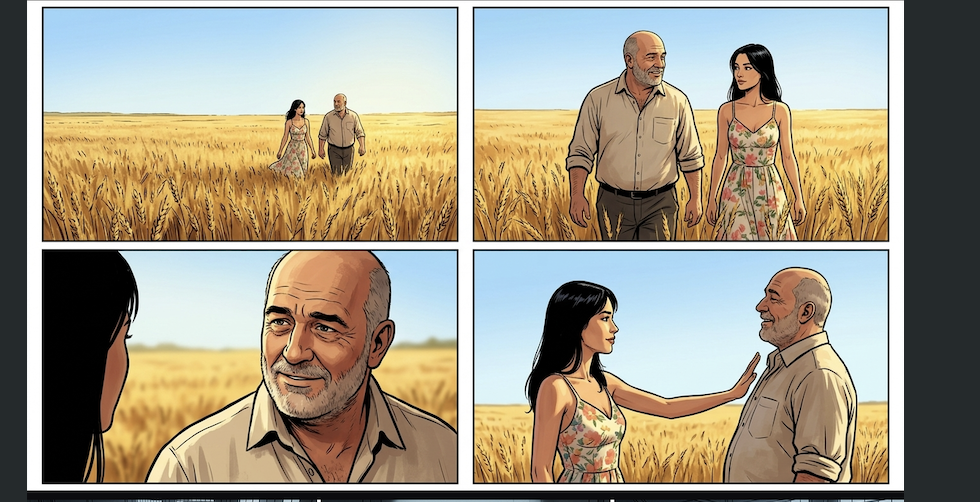
The cinematic vs standard storyboard choice comes down to one question: how much visual detail does your production need before cameras roll? A standard storyboard maps story beats and blocking. A cinematic storyboard maps the exact visual language of every shot.
Global box office revenue exceeded USD 33.9 billion in 2023 (Motion Picture Association), and streaming platforms continue to increase original content spending. As productions scale, choosing the right storyboard type determines whether pre-production moves fast or stalls under revision cycles. Understanding the cinematic vs standard storyboard difference is the first step.
What Separates a Cinematic Storyboard From a Standard One
The cinematic vs standard storyboard split starts with purpose. A standard storyboard is a sequence of panels that outlines what happens in each scene. It shows character positions, basic composition, dialogue cues, and plot progression. Most types of storyboards used in early pre-production are standard boards. They prioritize speed and narrative clarity over visual polish.
A cinematic storyboard goes further. It specifies camera lens, angle, movement, depth of field, lighting direction, and color temperature for every shot. It tells the director of photography, gaffer, and VFX team exactly what the final frame should look like. The cinematic storyboard difference is intent: a standard board answers "what happens" while a cinematic board answers "how it looks on screen."
Cinematic vs Standard Storyboard: Side-by-Side
The table below breaks down the cinematic vs standard storyboard distinction across seven key production factors.
When to Use Each Type
Early Script Development
Standard storyboard. Speed matters more than polish at this stage. Rough panels let you test pacing, scene transitions, and narrative structure before locking visual direction. A script to storyboard workflow generates standard boards from your screenplay in minutes, giving the creative team something to react to without a multi-day production cycle.
VFX and CGI-Heavy Sequences
Cinematic storyboard. VFX supervisors need exact camera angles, depth of field, and lighting setups to bid accurately and plan compositing. A standard board forces the VFX team to guess, which inflates cost and revision rounds. Apply cinematic composition techniques to every panel so the technical team can plan from frame one.
Client and Stakeholder Presentations
The cinematic vs standard storyboard choice depends on who is reviewing. Internal creative teams iterate quickly with standard boards. External clients, brand managers, and agency leads expect polished cinematic frames that preview the final look. For commercial storyboards in particular, the cinematic version reduces revision rounds because clients see what they are approving.
Detailed Storyboard vs Thumbnail Storyboard
The cinematic vs standard storyboard spectrum is not binary. Within the broader types of storyboards, the detailed storyboard vs thumbnail distinction is the most practical split for daily production work. Both sit on that same spectrum.
Thumbnail Storyboards
Thumbnail storyboards are small, rough sketches drawn quickly to map shot sequences. They prioritize composition and pacing over visual fidelity. Directors and animators use them to block out scenes before investing time in full boards. Start with a storyboard template that supports thumbnail-scale panels, then scale up as your production moves into detailed planning.
Detailed Storyboards
Detailed storyboards include full-frame illustrations with annotations for camera movement, dialogue, sound effects, and timing. They sit between a standard and cinematic storyboard on the detail spectrum. Most production storyboard types used in professional film and advertising fall into this category. Pair a detailed board with a shot list that references specific camera data per shot.
Production Storyboard Types
The cinematic vs standard storyboard comparison is the broadest distinction. Within those two categories, several production storyboard types serve specific workflow stages:
• Thumbnail boards: Rough sketches for early blocking and pacing decisions
• Traditional boards: Hand-drawn panels with scene descriptions. These are the foundation of traditional storyboarding workflows that many studios still rely on
• Digital boards: Created with storyboard software or an AI storyboard generator using drag-and-drop assets and AI-generated frames
• Cinematic boards: Full-color, annotated frames with lens, lighting, and depth data
• Animatic boards: Sequenced panels with timing and motion, often exported as video. Animatics bridge the gap between static storyboards and final edit
Each production storyboard type builds on the previous one. A thumbnail becomes a traditional board. A traditional board becomes a digital board. A digital board can be upgraded to a cinematic board. Understanding the full cinematic vs standard storyboard range helps you pick the right format for every stage of your production.
Mistakes When Choosing Between Storyboard Types
Getting the cinematic vs standard storyboard decision wrong costs time and budget. Here are the three most common errors.
Using a Cinematic Storyboard When a Standard One Is Enough
• Over-producing the storyboard wastes time in early development. If you are testing story structure or pitching a concept, a standard board gives faster feedback at lower cost.
• Save cinematic boards for the production phase when camera and lighting decisions are final. Do not spend days on cinematic detail for a script that might change.
Sending Standard Boards to VFX Teams
• VFX teams cannot estimate cost or plan compositing from a standard storyboard. They need specific camera data, focal length, and lighting direction that only a cinematic board provides.
• When a sequence includes CGI, produce a cinematic storyboard for those scenes even if the rest of the project uses standard boards.
Treating All Types of Storyboards as Interchangeable
• Each production storyboard type serves a different audience and workflow stage. Thumbnail boards are for the director. Cinematic boards are for the DP and VFX supervisor. Standard boards are for the editor and producer.
• Match the storyboard type to the person who will use it. The wrong format creates confusion, not clarity.
Choose the Right Storyboard for Your Production
The cinematic vs standard storyboard decision should never slow your production down. Drawstory generates both types from your script. Upload your screenplay, choose your detail level, and get production-ready panels with camera annotations, lighting notes, and consistent character design. Start free.
Frequently Asked Questions
Got Questions?
Find clear answers to common questions about Drawstory, our services, process, and how we bring your ideas to life.
What is a cinematic storyboard?


What are the three types of storyboards?
What is the best style of storyboard?
Do filmmakers still use storyboards?
Can I edit the storyboard after the AI generates it?



