Sign Up
Top 10 HeyGen Alternatives for 2026
Author:
Zoha Shahzad Butt
Date:
September 1, 2026
Roughly 63% of video marketers now use AI video tools to create or edit content, up from 51% a year earlier. HeyGen sits near the front of that shift, but it is not the right fit for every project.
Some teams want lower pricing. Some need an AI video generator that is not built around a talking head. Others realise the bottleneck was never the avatar at all, it was the planning that should have happened first. This guide covers the best HeyGen alternatives 2026 has produced so far, grouped by the job you are actually hiring the tool to do.
Why Teams Look for HeyGen Alternatives
Most searches for HeyGen alternatives come down to three friction points.
• Cost at scale: Per-minute credits get expensive once you move past a handful of videos a month. Teams producing weekly content feel this fast.
• Avatar-only output: HeyGen is built around presenters. If you need product footage, animation, or scene-based storytelling, a spokesperson video is the wrong shape.
• No planning layer: Generating a video is easy. Knowing what to generate is harder. Skipping the storyboard creation process is why so many AI videos look like a script read aloud rather than a story told.
That third point is worth pausing on. Plenty of people evaluating HeyGen alternatives are solving a production problem when they have a pre-production problem. Working out your shots first is often cheaper than regenerating clips until one lands. This guide to alternatives to traditional storyboarding covers why that step keeps getting skipped.
HeyGen Alternatives Compared
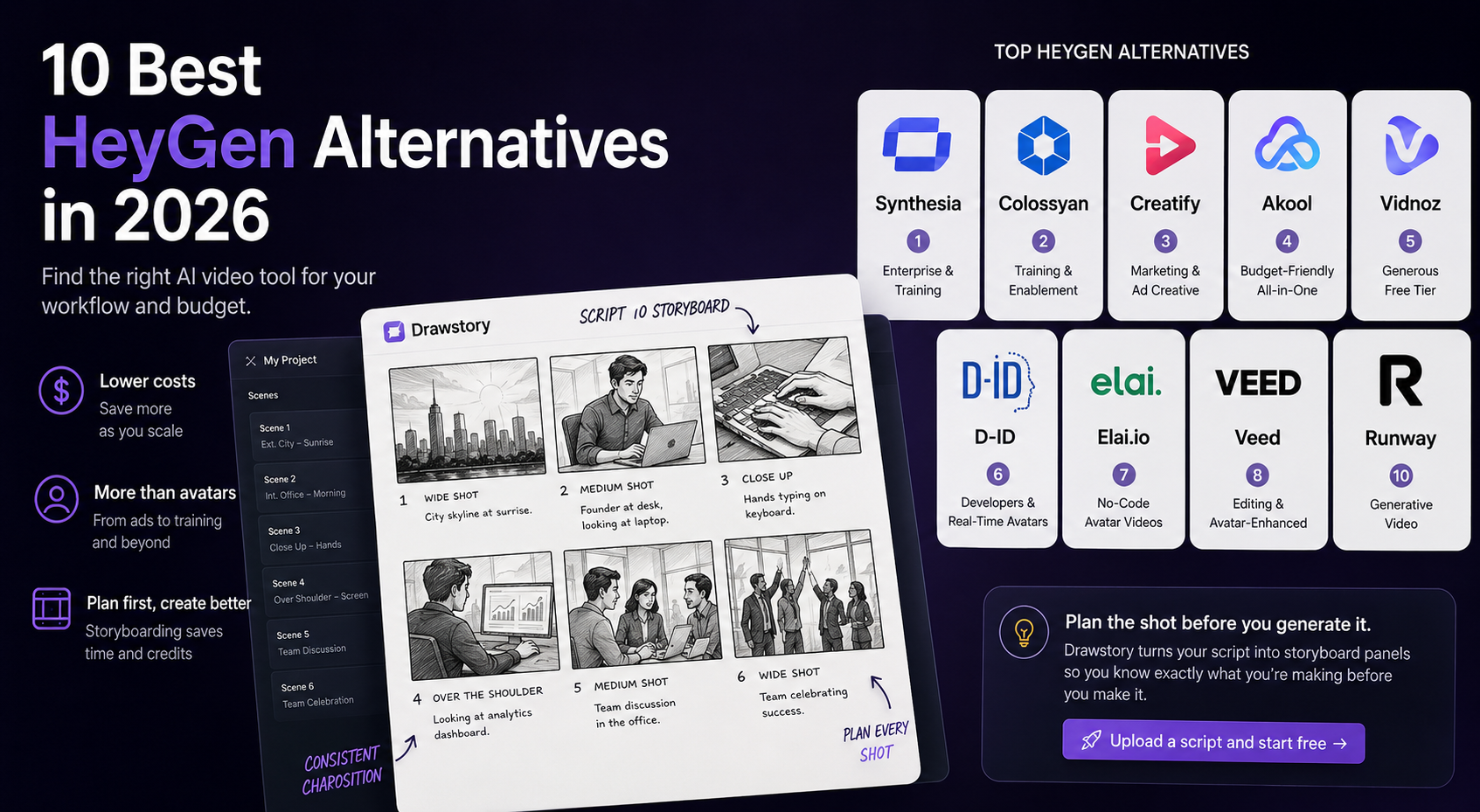
A quick view of all 10 tools before the detail.
Pricing moves often on these platforms. Check each vendor's current page before you commit. Figures above were verified in August 2026.
Best for Planning Your Video Before You Generate It
1. Drawstory
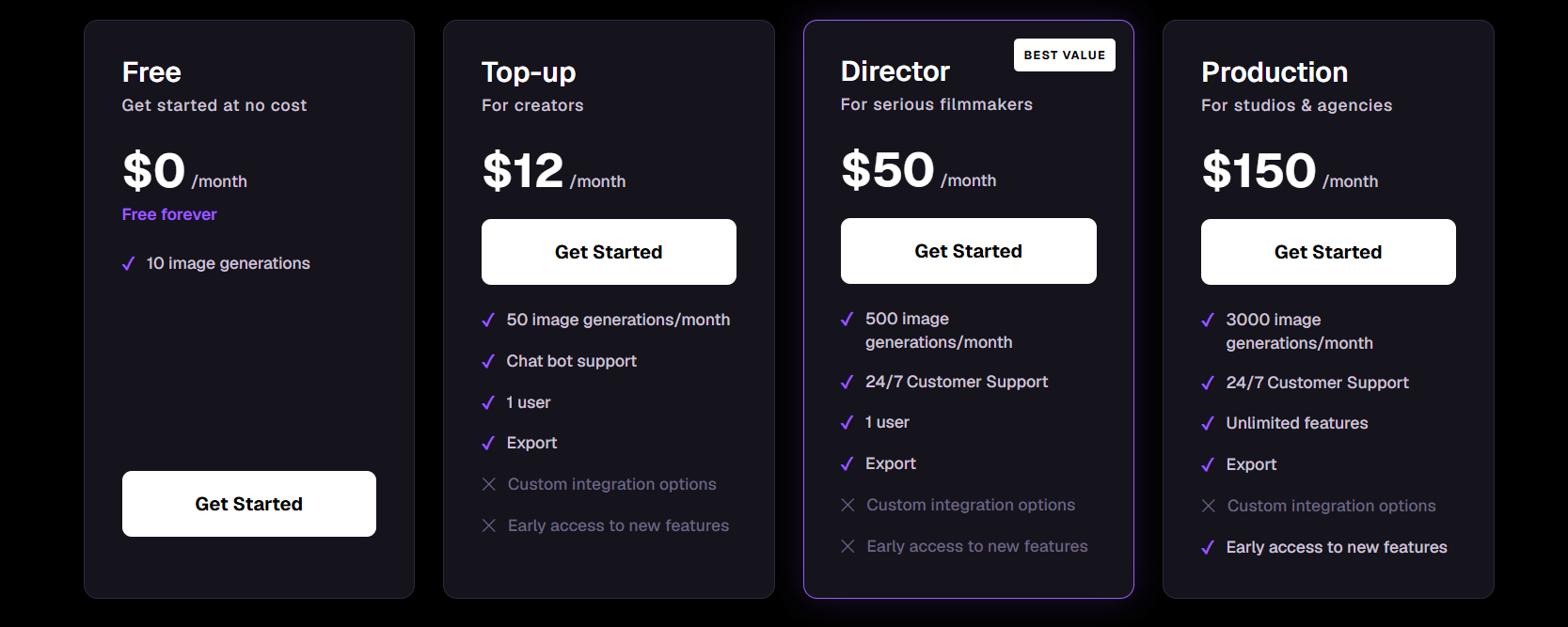
Drawstory is the outlier on this list because it does not make avatar videos at all. It turns a script into illustrated storyboard panels, so you know what every shot looks like before you spend a credit generating anything. Upload your plot, define your characters, and get panels back with cinematic composition and consistent characters throughout.
• Key features: Script to panel generation, locked character identity, script to storyboard workflow, shot and scene planning, export for production teams
• Pros: Solves the planning gap the other tools ignore. Cuts wasted generation. Pairs well with any avatar or footage tool you choose next.
• Cons: Not a video generator. You still need a rendering tool for the finished cut.
• Best for: Anyone who wants a plan before they generate. Use it alongside one of the tools below, not instead of it.
Best for Enterprise and Training Video
2. Synthesia
The most established of the HeyGen alternatives, and the one enterprise buyers shortlist most often. Over 230 avatars, 140+ languages, and strong compliance credentials.
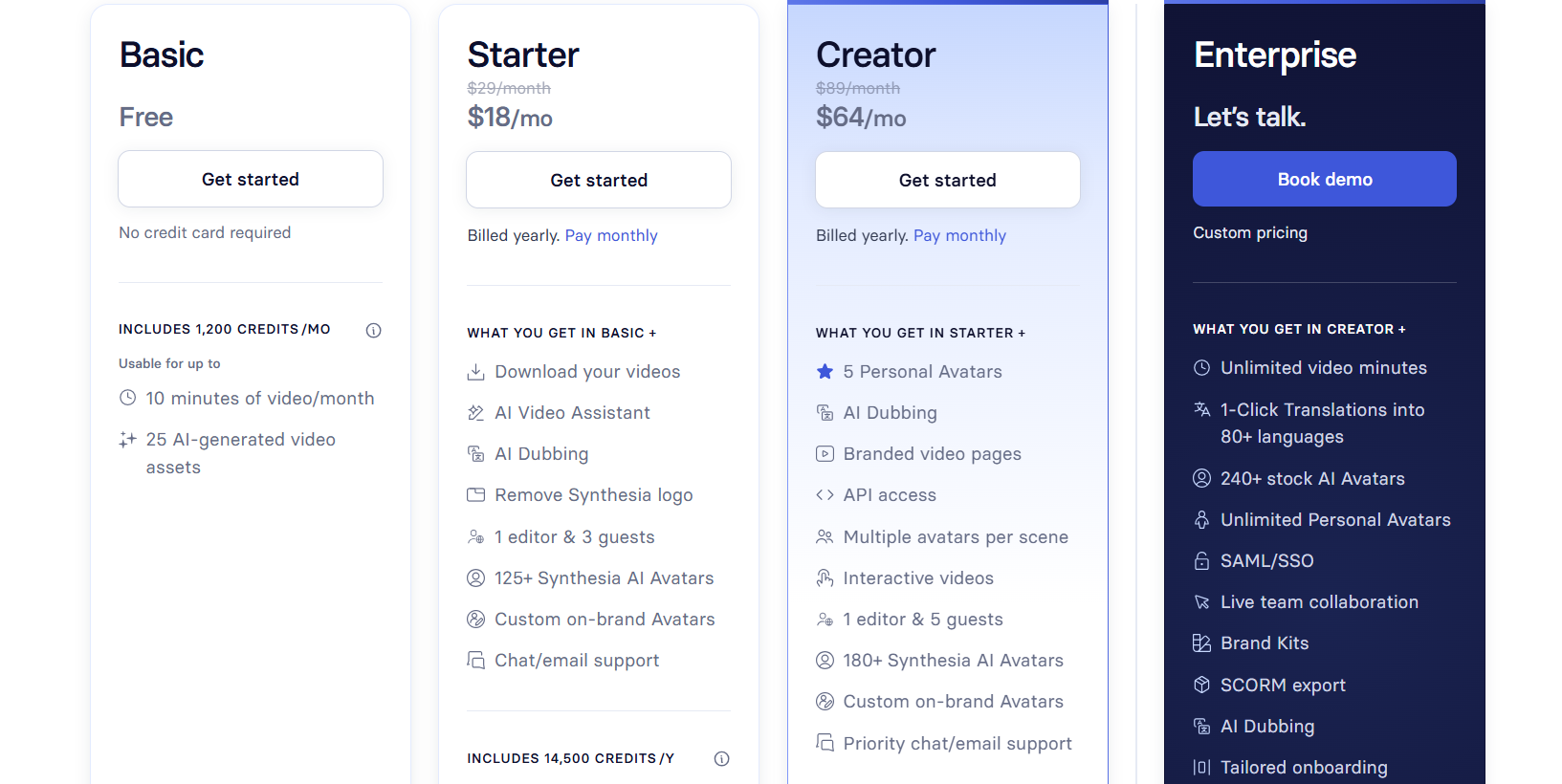
• Pricing: Free plan available. Starter from $18 per month billed annually. Creator from $64 per month. Enterprise on request.
• Pros: Best-in-class avatar quality. Deep language support. Mature security posture.
• Cons: Minute limits bite on lower tiers. Less flexible for short-form social content.
3. Colossyan Creator
Built specifically for training and enablement teams. Interactive video, branching scenarios, quizzes, and SCORM export for your LMS.
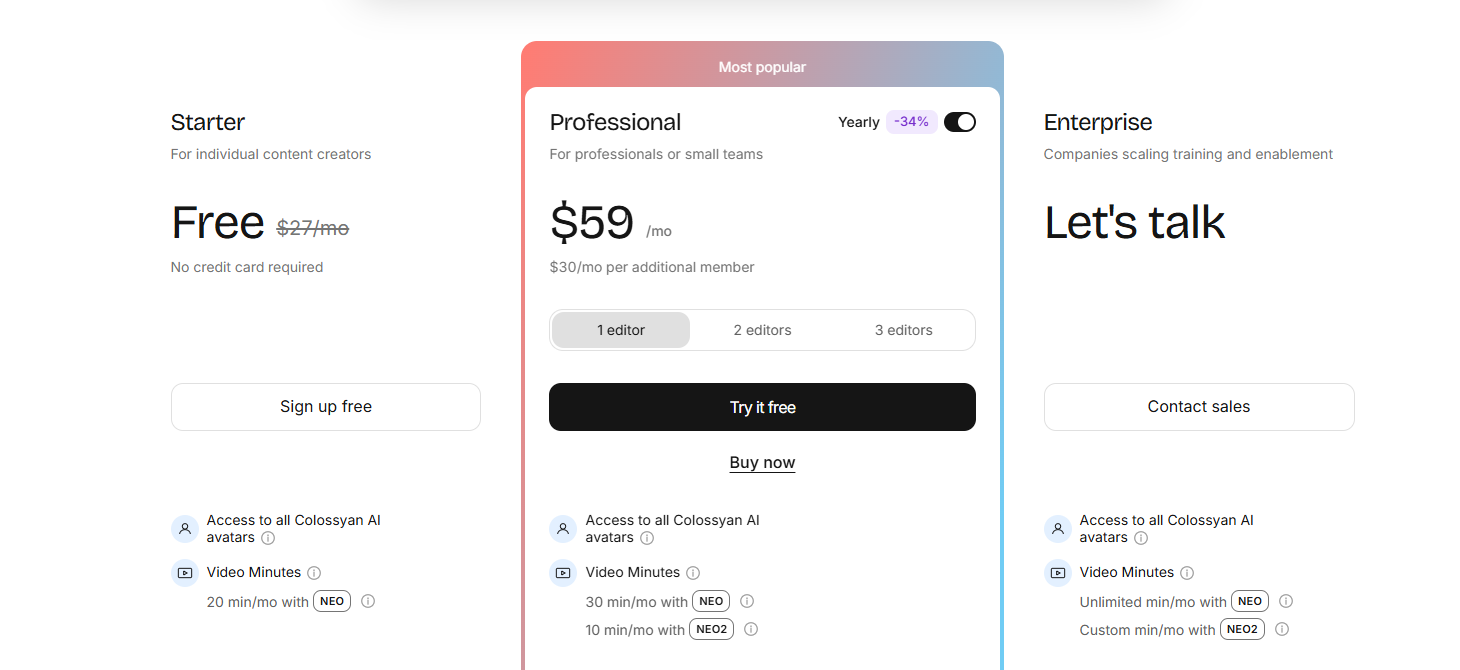
• Pricing: Free Starter plan. Professional at $59 per month billed annually. Enterprise on request.
• Pros: SCORM and LMS integration out of the box. 120+ languages. SOC 2 Type II certified.
• Cons: Narrow focus. Overkill if you are not producing training content.
Best for Marketing and Ad Creative
4. Creatify
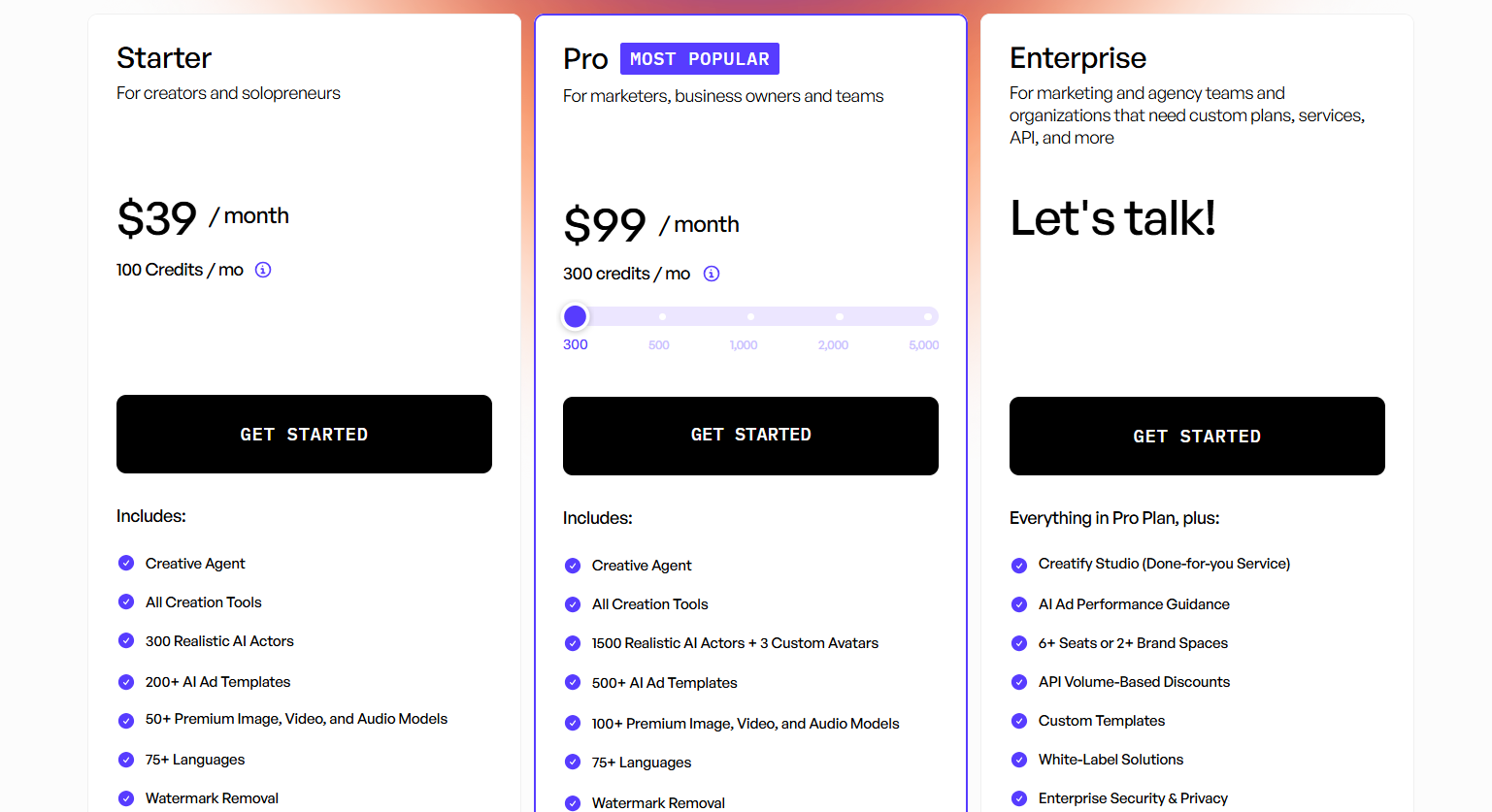
Purpose-built for performance marketing. Paste a product URL and it generates UGC-style ad variants with AI actors, ready for paid social testing.
• Pricing: Free tier available. Paid plans vary.
• Pros: Fastest route from product page to ad creative. Built-in variant testing.
• Cons: Narrow to advertising. Not a general video tool. Worth pairing with a commercial storyboard if the concept matters as much as the volume.
5. Akool
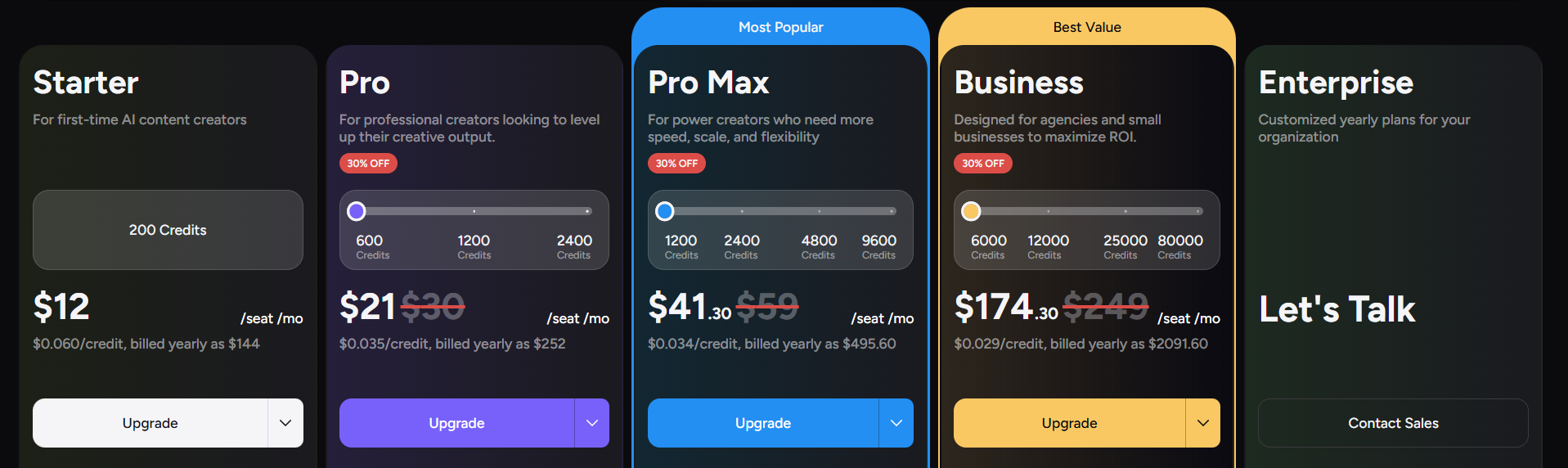
Frequently recommended on Reddit as the budget swap for HeyGen. Covers avatars, face swap, and video translation in one place.
• Pricing: Free tier available. Paid plans vary.
• Pros: Cheaper than most rivals. Wide feature spread for the price.
• Cons: Output quality is inconsistent across features. Support is thinner.
6. Vidnoz
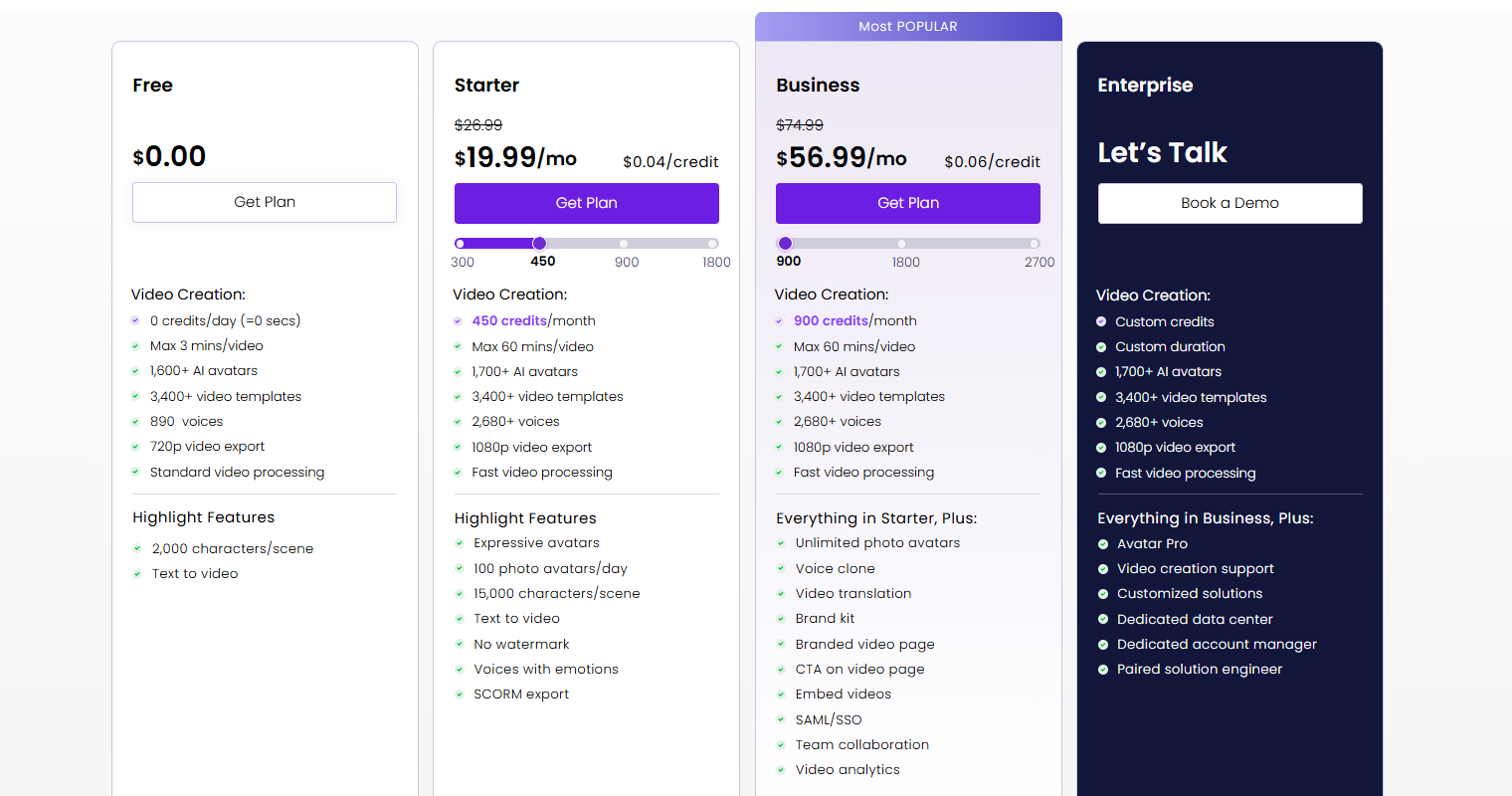
The most generous free tier among mainstream HeyGen alternatives, which makes it a sensible place to test before you pay for anything.
• Pricing: Free plan with daily limits. Paid plans vary.
• Pros: Genuinely usable free tier. Large template library.
• Cons: Watermarks on free output. Avatar realism trails the leaders.
Best for Developers and Real-Time Avatars
7. D-ID
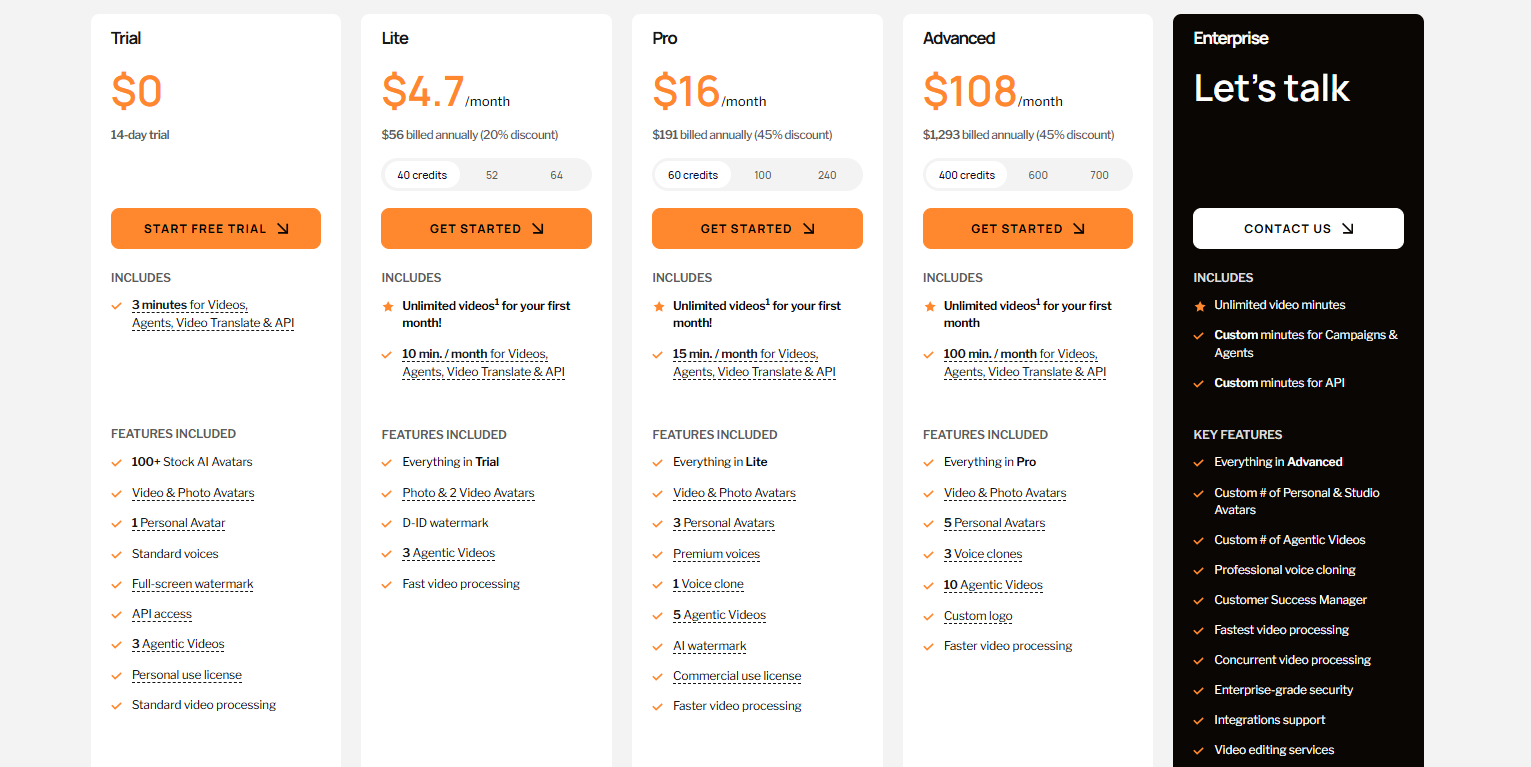
Strongest option if you need avatars inside your own product. D-ID powers real-time conversational agents through a well documented API.
• Pricing: Free trial available. Studio and API plans priced separately.
• Pros: Real-time streaming avatars. Solid API docs. Photo to talking video in seconds.
• Cons: Watermarks on entry tiers. Less useful for standard marketing video.
8. Elai.io
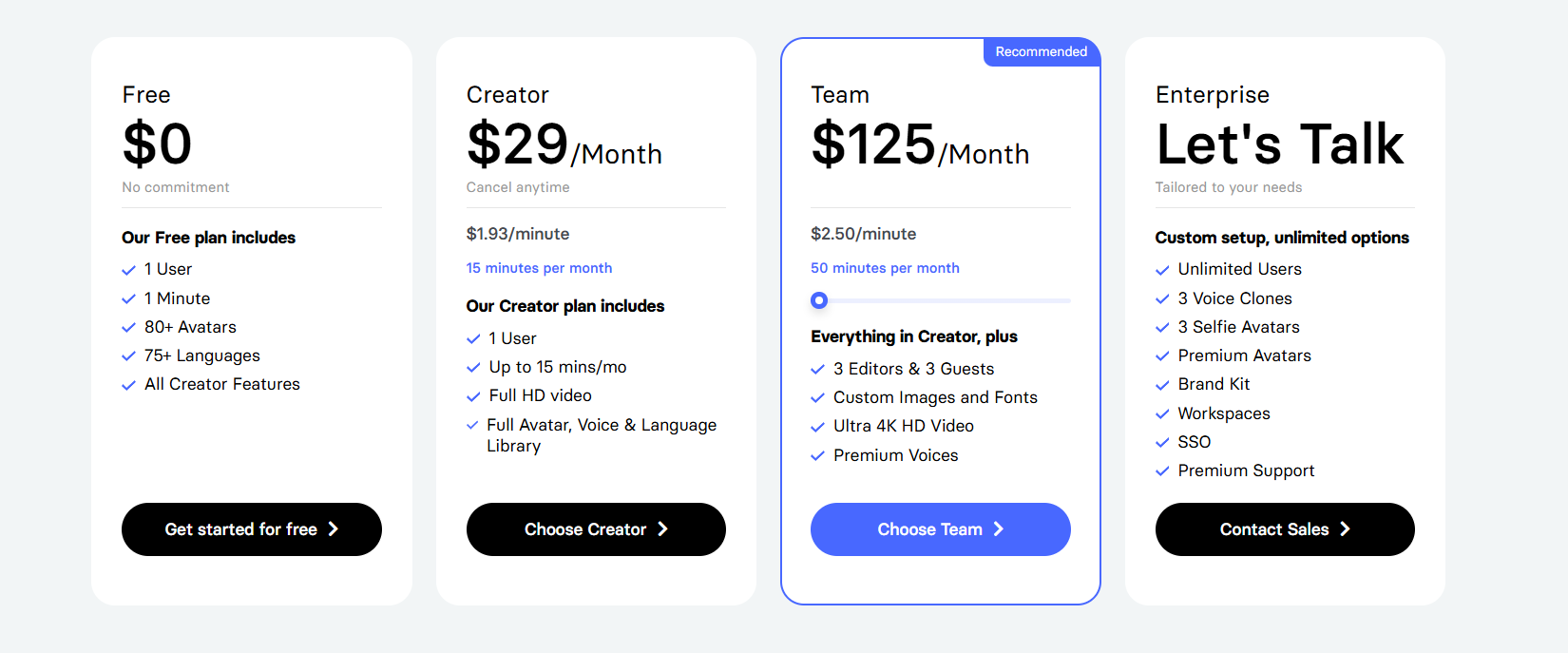
A no-code avatar platform with a URL to video feature and support for 75+ languages, aimed at small teams without a video editor.
• Pricing: Trial available. Paid plans vary.
• Pros: Simple interface. Good automated translation. API access included.
• Cons: Smaller avatar library. Fewer editing controls than larger platforms.
Best for Editing and Avatar-Free Footage
9. Veed
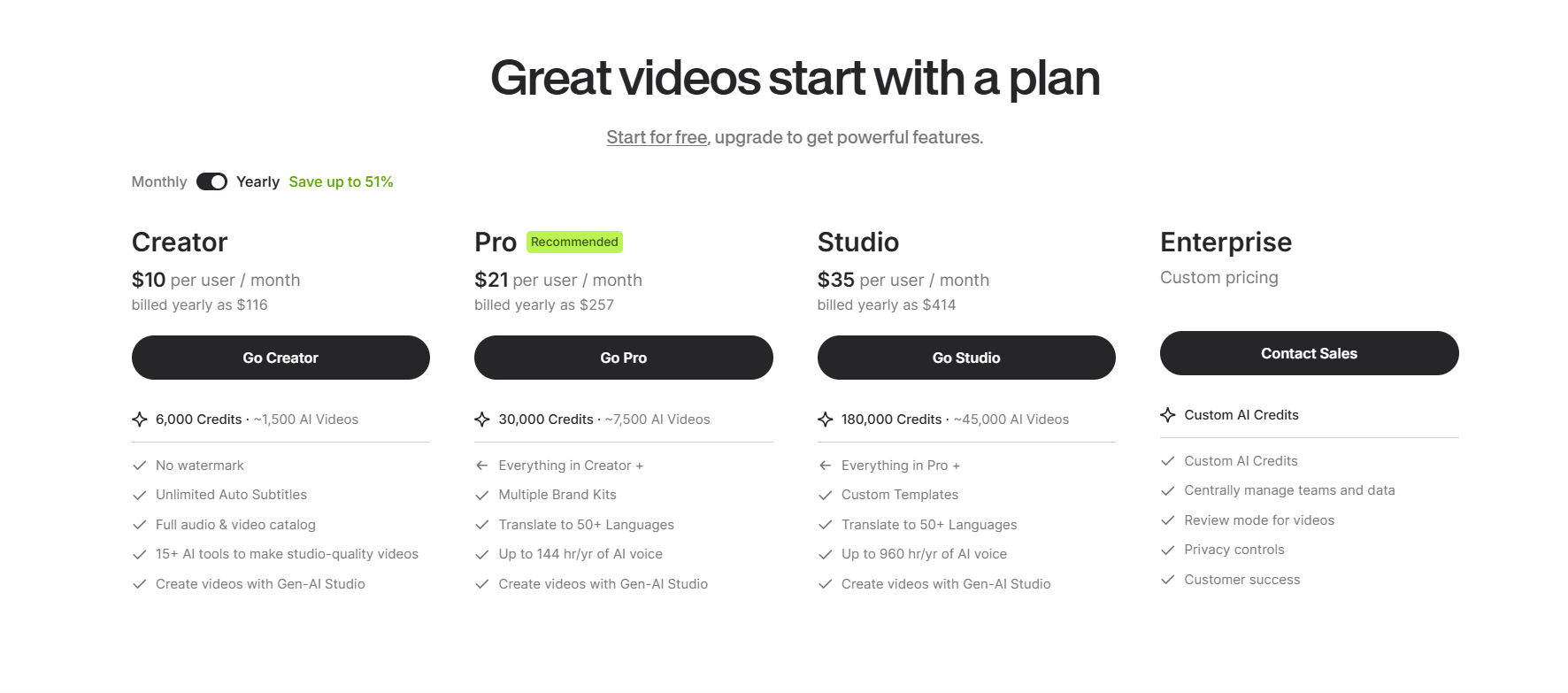
A browser-based editor that added avatars rather than starting with them. The better pick when most of your work is cutting real footage.
• Pricing: Free tier available. Paid plans vary.
• Pros: Full editing suite. Auto subtitles. No install needed.
• Cons: Avatars are a secondary feature. Free tier watermarks exports.
10. Runway
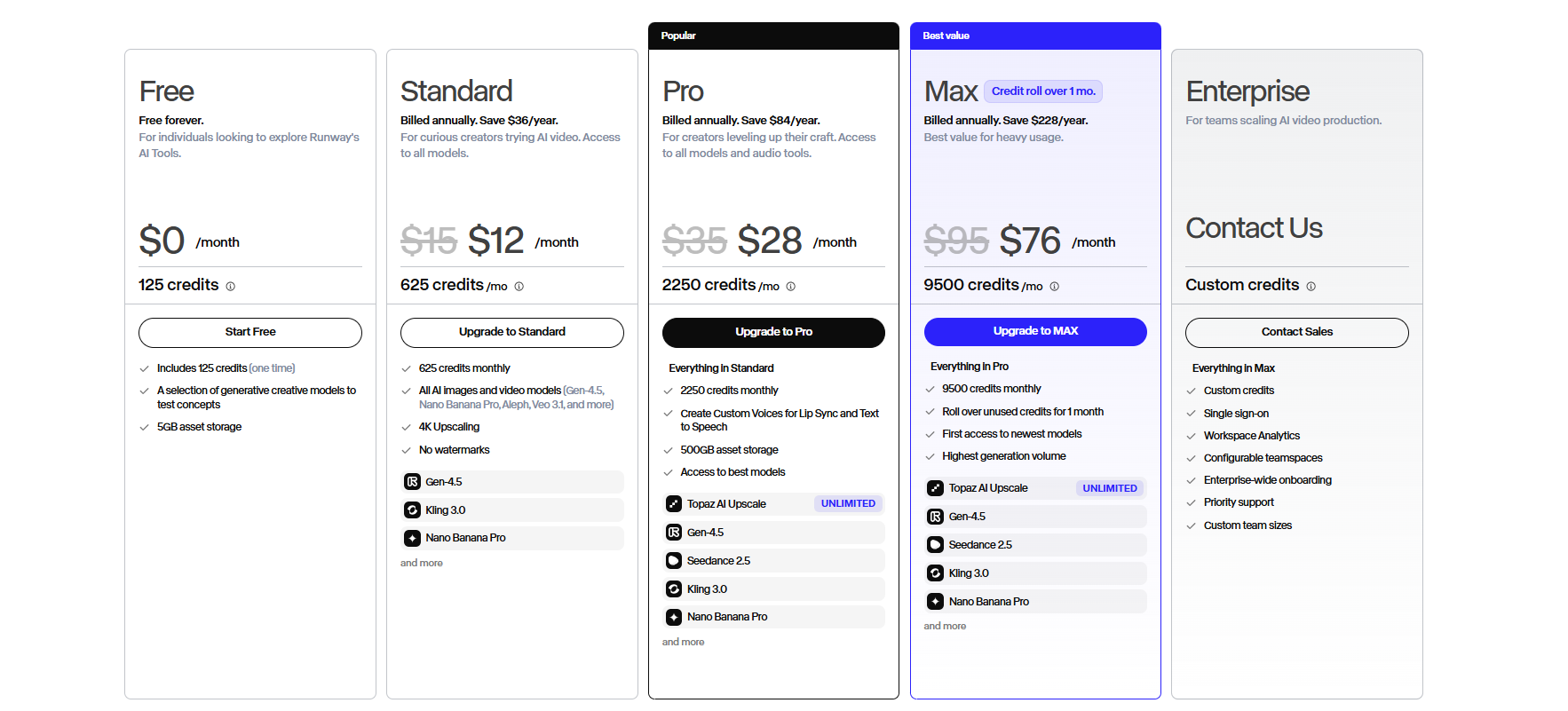
Generative video rather than presenter video. Runway creates footage from prompts, which makes it the natural choice when a talking head is not the answer. It also works well for turning boards into animatics before a shoot.
• Pricing: Free credits on signup. Paid plans vary.
• Pros: Best generative quality on this list. Strong motion and camera control.
• Cons: Steeper learning curve. Credits disappear quickly during iteration.
Plan the Shot Before You Generate It
The fastest way to waste credits on any of these HeyGen alternatives is to start generating without a plan. Build your shot list first, then pick the tool that renders it. Drawstory turns your script into illustrated panels with consistent characters, so you know exactly what you are making before you make it. Upload a script and start free.
Frequently Asked Questions
Got Questions?
Find clear answers to common questions about Drawstory, our services, process, and how we bring your ideas to life.
What are the best HeyGen alternatives?


What are the best free alternatives to HeyGen?
Is Synthesia better than HeyGen?
Are there open source alternatives to HeyGen?
Can I use HeyGen alternatives for video production instead of just marketing videos?



