Sign Up
Storyboard Examples created in Drawstory
Author:
By Drawstory team
Date:
December 23, 2025
If you’ve ever wondered how directors, animators, and creative teams plan scenes before production, you’re in the right place. In this post, we’ll show real storyboard examples, explain the benefits of using AI, and guide you on how to create storyboards with AI using Drawstory.
Whether you’re working on a movie, TV show, commercial, or animation, these examples will inspire your next project.
Why we share Storyboard Example?
You can find storyboard examples created in Drawstory and learn how can you create storyboards with AI
- Camera angles
- Character positions and movements
- Key actions and emotional beats
Storyboards are essential in filmmaking, TV production, animation, and even commercial advertising. They help directors communicate their vision, align teams, and save time during production.
AI Storyboard Examples Across Different Formats
Using AI tools like Drawstory, directors and creators can generate AI storyboard examples quickly — no drawing skills required. Below, you’ll find real storyboard examples for each category:
1. Movie Storyboard Examples
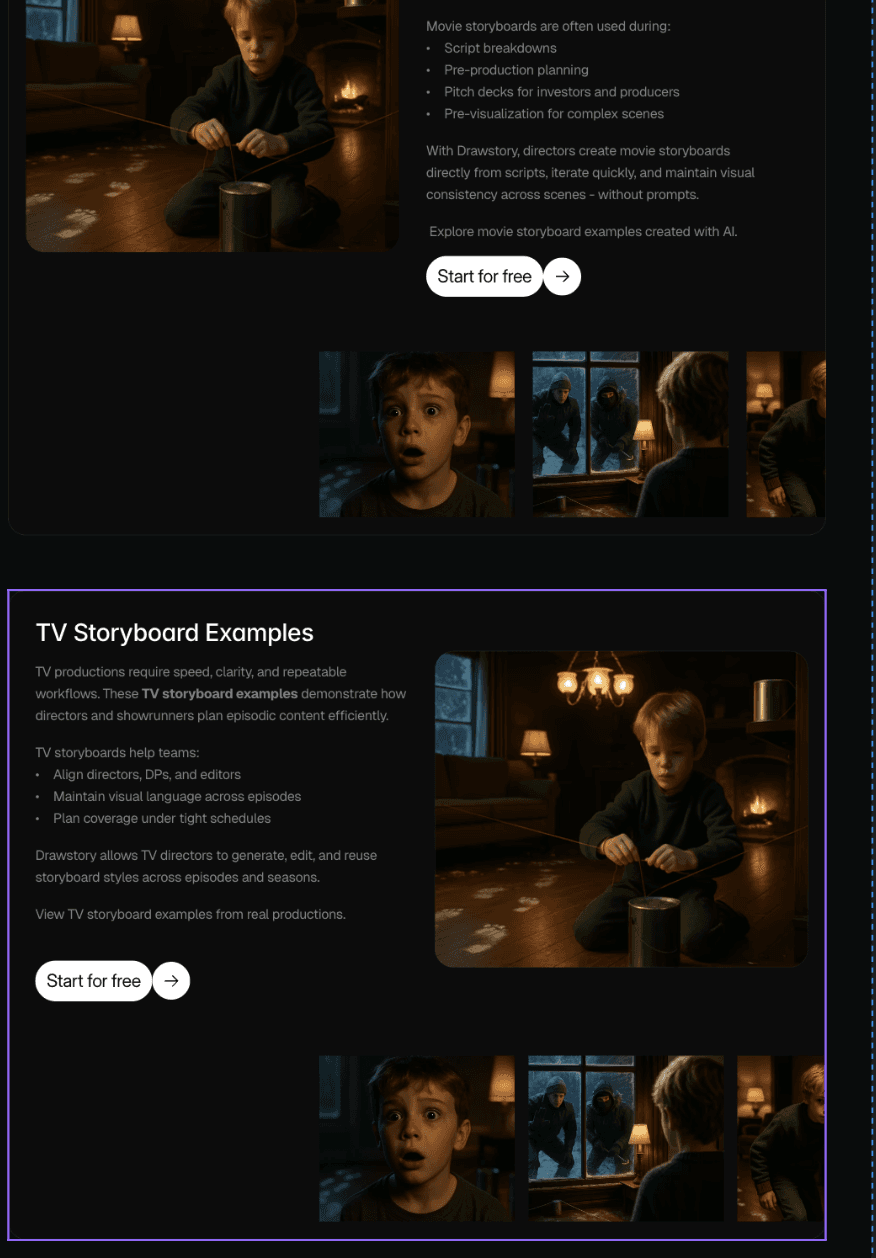
Movie storyboards help visualize complex scenes before shooting. Directors use them to plan camera angles, pacing, and blocking.
Example:

Use Cases:
- Script breakdowns
- Pitch decks for investors
- Script Previsualization
2. TV Storyboard Examples
TV storyboards streamline episodic production. AI storyboards allow showrunners to maintain visual consistency across episodes, plan shots efficiently, and collaborate with the crew faster.
Example:

Use Cases:
- Movie Storyboarding
- Script to shot list
- AI pre production tools
3. Commercial Storyboard Examples
For advertising, commercial storyboard examples are vital. They help clients visualize concepts, approve ideas, and align teams.
Example:

Use Cases:
- Client commercial pitch deck
- Concept testing
- Pre Production planning
4. Animation Storyboard Examples
Animation depends heavily on storyboards. AI storyboard examples allow animators to plan motion, timing, and story flow before production, saving weeks of work.
Example:

Use Cases:
- Animated films or shorts
- Animated Series
- Explainers or branded animation
5. Comic / Visual Narrative Examples
AI comics maker is the best way to turn story into comics. These examples show how creators use Drawstory to explore comic-style storyboards.
Example:

Use Cases:
- Comic book
- AI comics maker
- Comic creation
How to Create Storyboards with AI
Creating storyboards with AI is faster, easier, and more flexible than traditional methods. Here’s a simple workflow using Drawstory:
- Upload your script or scene: Start by adding your written script or scene description.
- Generate storyboards automatically: The AI will create frames for each key moment in your scene.
- Customize visuals: Adjust characters, backgrounds, camera angles, and style to match your vision.
- Export and share: Download your storyboard or use presentation mode for pitch decks.
Why AI Storyboards Are a Game-Changer
- Speed: Create hundreds of frames in minutes.
- Consistency: Maintain visual style across scenes or projects.
- Flexibility: Easily edit or iterate without redrawing.
- Accessibility: Anyone can create storyboards, even without artistic skills.
Conclusion
These storyboard examples show the power of visual storytelling. With AI tools like Drawstory, directors and creators can generate professional AI storyboard examples quickly, efficiently, and with creative control.
If you want to see your script come to life, start exploring how to create storyboards with AI today — and turn your ideas into a clear visual plan for your next film, commercial, TV show, animation, or comic project.
Frequently Asked Questions
Got Questions?
Find clear answers to common questions about Drawstory, our services, process, and how we bring your ideas to life.
How can I create storyboards in Drawstory?


Can I create sketch style storyboards in Drawstory
Those these storyboard examples created with AI?
How much does it take to create a storyboard for commercial?
Can I give AI reference product image to create storyboard with the same product?



